If you're making cold calls in B2B sales, you have three realistic ways to get phone numbers: manually through Google, LinkedIn, and other free sources (slow, low success rates on senior contacts); buy a one-time list from a database seller (fast to start, but data decays about 30% per year); or use a tool that provides continuous phone-number data access.
Finding the number is only 20% of the problem. Getting prospects to answer, connecting on the call, and coaching reps through those first 15 seconds is the remaining 80%. Tools that bundle data with dialing and coaching handle all three.
In This Blog, You'll Learn
- Why finding B2B phone numbers is harder than it should be
- 10 methods to find someone's phone number, compared by speed, cost, and accuracy
- The three categories of phone number tools and which is right for your team
- 8 best tools to find B2B phone numbers, reviewed with pros and cons
- How to choose the right phone number tool for your sales motion
- Why Klenty's approach works: dialing, Connect AI, coaching, and automation
Why Finding B2B Phone Numbers Is Harder Than It Should Be
If you sell to other businesses by making calls, your first step is getting the phone numbers of the prospects you want to contact. And in 2026, that step is harder than it used to be, especially for personal mobile numbers where most real B2B conversations happen today.
Four things have changed the landscape. Mobile carriers phased out public directories. Privacy regulations like GDPR, CCPA, and PIPEDA reshaped what data brokers can sell. Social platforms like LinkedIn hide phone numbers by default. And company websites publish main reception numbers instead of direct dials to decision-makers.
The real bottleneck is not just "finding a phone number." It's finding a verified mobile direct dial that you can actually call without getting flagged as spam, and then handling the conversation effectively when someone picks up.
10 Methods to Find Someone's Phone Number
1. Google Advanced Operators
Try these searches in sequence: "Jane Doe" "Acme Corp" (mobile OR cell OR phone); "Jane Doe" site:linkedin.com; "Jane Doe" filetype:pdf. This pulls up old press releases, trade directories, and speaker bios.
Best for: One-off lookups when you know the name, company, and rough location. Speed: Slow (5-15 minutes). Accuracy: Low (20-30%). Cost: Free.
2. LinkedIn Plus Sales Navigator
Open the prospect's LinkedIn profile, click Contact info under the banner. Numbers show only if the prospect has added one and you're in their network. Sales Navigator sometimes surfaces additional phone numbers through CRM sync.
Best for: B2B contacts who have chosen to display their number. Speed: Medium. Accuracy: Low to medium (15-25% show a number). Cost: $99/month for Sales Navigator.
3. People-Search Engines
Tools like Whitepages, TruePeopleSearch, Spokeo, BeenVerified, and Intelius work for consumer and mixed lookups. US coverage is strong. International coverage is limited.
Best for: Consumer lookups and small-business owners. Speed: Fast. Accuracy: Low to medium. Cost: Free to $30/month.
4. Company Website and Press Releases
Check the company's Contact Us page (usually gives you a main line), the investor relations or media page, and press releases where PR contacts list their mobile numbers for reporters.
Best for: Executives at smaller companies, investor relations contacts. Speed: Slow. Accuracy: Low (reception lines). Cost: Free.
5. Social Media Profiles
Check Twitter bios and pinned tweets, Instagram bios (especially for business owners), Facebook About sections (older demographics), and personal websites linked from these profiles.
Best for: SMB owners, consultants, solopreneurs. Speed: Slow. Accuracy: Very low (5-10%). Cost: Free.
6. Ask Mutual Connections
When your CRM shows a mutual connection to your prospect on LinkedIn, reach out: "Would you be open to sending a quick intro, or if that's too much, could you share their best contact number?" A warm introduction to dial beats a cold dial by 3 to 1 on connect rates.
Best for: High-priority accounts where a warm intro is worth the ask. Speed: Variable. Accuracy: High when it works. Cost: Free (you're spending a favor).
7. Reverse Email-to-Phone Lookup
When you already have a verified work email, use tools like Hunter.io, ContactOut, Wiza, or FindThatLead to match it to a phone number. Match rates are typically 40-60% for senior work emails.
Best for: When you already have the email. Speed: Fast. Accuracy: Medium (40-60%). Cost: $0.05 to $0.50 per query.
8. Buy a List from a Database Seller
Purchase a one-time contact list from Data Axle, Dun & Bradstreet, Lead411, Exact Data, SalesRipe, or UpLead. You pay per record and get a CSV file. The catch: B2B contact data decays about 30% per year. The list you bought today cannot be trusted in 90 days.
Best for: One-off direct mail campaigns, event invite lists. Speed: Slow (CSV delivery). Accuracy: Low; data decays 30% per year. Cost: $0.30 to $1 per record.
9. Data-Only SaaS Platform
Subscribe to a live database tool like ZoomInfo, Lusha, Cognism, RocketReach, Kaspr, SalesIntel, or Hunter. You log in, search, filter by ideal customer profile, and export contacts when needed. Continuously refreshed by the vendor.
Best for: Teams that already run their own dialer, sequencer, and coaching tools. Speed: Fast. Accuracy: Medium (30-50% on lists). Cost: $49 to $250 per user per month (mid-market) or custom enterprise pricing.
10. Use a Data Plus Dialer Platform
A platform that bundles contact data with dialing, caller-ID management, and coaching in one subscription. This addresses the reality that finding the number is only 20% of the problem.
Best for: Teams measured on conversations and meetings, not records in a database. Speed: Fastest. Accuracy: High and covers dialing plus coaching. Cost: $50 to $99 per user per month.
The Three Categories of Phone Number Tools
Before you shortlist vendors, understand that the market has three distinct types of tools. Most teams pick the wrong one because they compare across categories before choosing one.
Category 1: Database Sellers (List Brokers)
You pay per record, they hand you a CSV, you're done. Examples: Data Axle, Dun & Bradstreet, Lead411. Pricing: $0.30 to $1 per contact, one-time. Best for one-off projects. The problem: Data decays about 30% per year. For any team running continuous outbound, this model wastes money because you keep buying new lists.
Category 2: Data-Only SaaS Platforms
You subscribe to live database access. Search, filter, export on demand. Examples: ZoomInfo, Lusha, Cognism, RocketReach, Kaspr, SalesIntel, Hunter. Pricing: $49 to $250 per user per month (mid-market) or enterprise custom contracts. Best if you already have your own dialer, sequencer, and coaching layer elsewhere. The problem: You're buying the number. You're not buying what happens after the number. You still need three more tools to handle connecting and coaching. Every seam between them leaks activity.
Category 3: Data Plus Dialer Platforms
One subscription that bundles contact data, dialing, caller-ID management, and coaching. Example: Klenty. Pricing: $50 to $99 per user per month. Best for teams measured on meetings and conversations. No separate data, dialer, and coaching contracts. No integration overhead.
The underlying issue: Finding the phone number is about 20% of the cold-calling problem. Dialing, connecting, and converting is the other 80%. A data-only tool gives you 20% and steps away. Only a platform that owns data, dialing, and coaching can compound gains across all three.
8 Best Tools to Find B2B Phone Numbers
These tools are grouped by category so you can compare within the same category first.
1. Klenty: Data Plus Dialer Plus Coaching
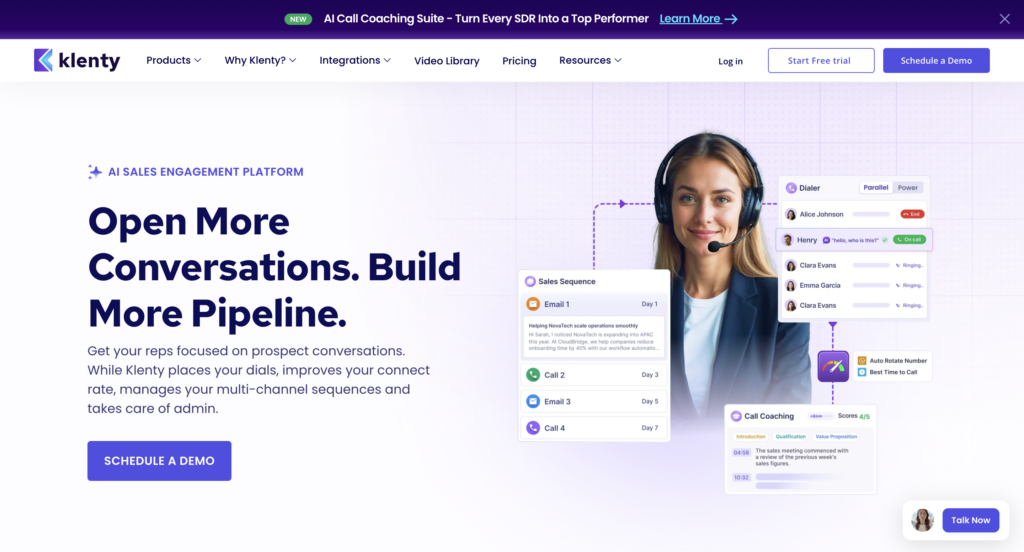
Best for: B2B sales teams who need mobile numbers and the infrastructure to dial them, connect, and coach reps.
What it is: An all-in-one sales engagement platform combining phone-number finding with parallel and power dialing, Connect AI for caller-ID management, and AI Call Coaching Suite. It covers the full pipeline from finding phone numbers to booking meetings.
Key features:
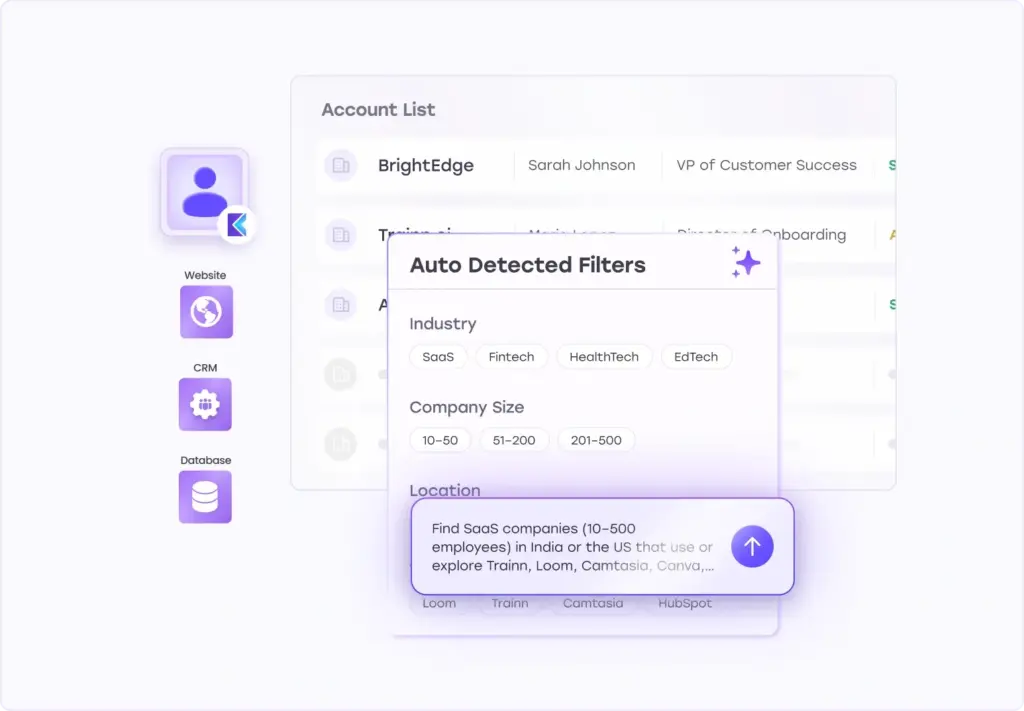
AI List Builder: Describe the accounts you want in plain language. AI List Builder matches your ideal customer profile, pulls the right contacts, and enriches every contact by searching across multiple phone-data providers in sequence. Every mobile number and direct dial is cross-checked and validated before it lands in your call list. If one provider has stale data, another fills the gap. You get verified contacts, not dead numbers.
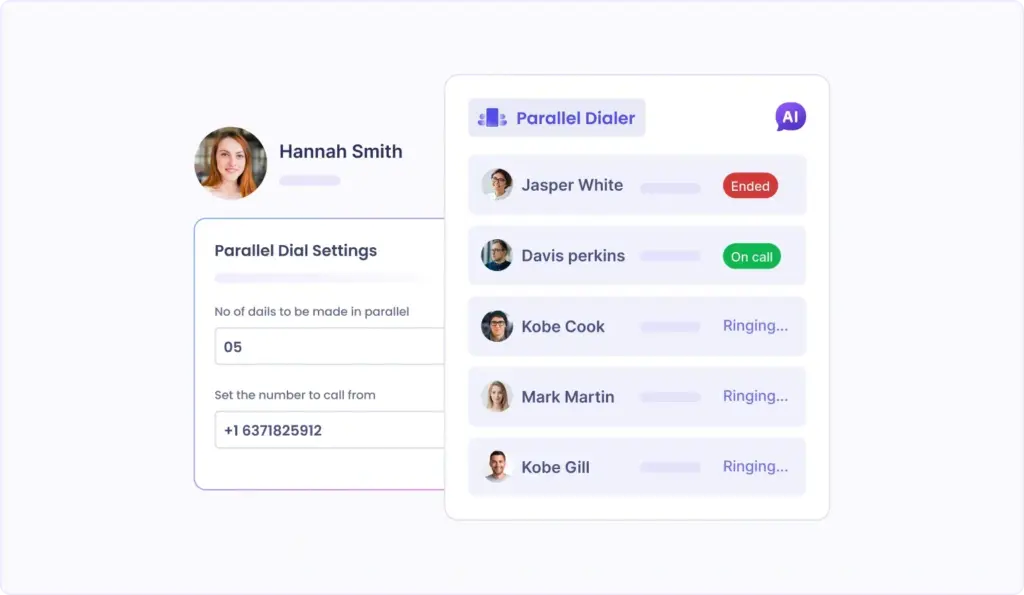
Parallel Dialer: Dials up to 5 prospects at once. When someone answers, you connect instantly. AI automatically detects and skips voicemails so reps spend no time on greetings. Your team moves through lists at maximum speed with no downtime between dials.
Power Dialer: Sequential one-click dialing through a prioritized list. When a call ends, the next prospect queues automatically. CRM pops up on connect. Outcome, notes, and next steps auto-log. Perfect for warm-list follow-ups without context switching.
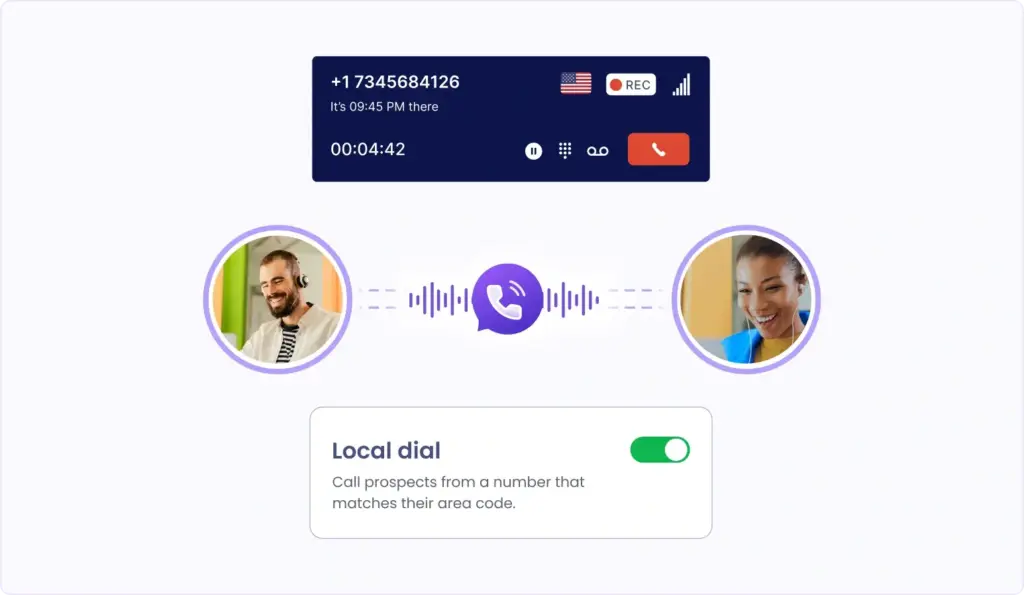
Connect AI: Most B2B outbound calls show up as "Scam Likely" because carriers detect high-volume, unknown dialing patterns. Connect AI solves this. It auto-rotates call-from numbers based on health and pickup rates. It matches local area codes so prospects see a familiar number. It picks the best time to dial based on past-call connects and prospect timezone. It monitors number health continuously and assigns unique numbers per rep to prevent spam signals.
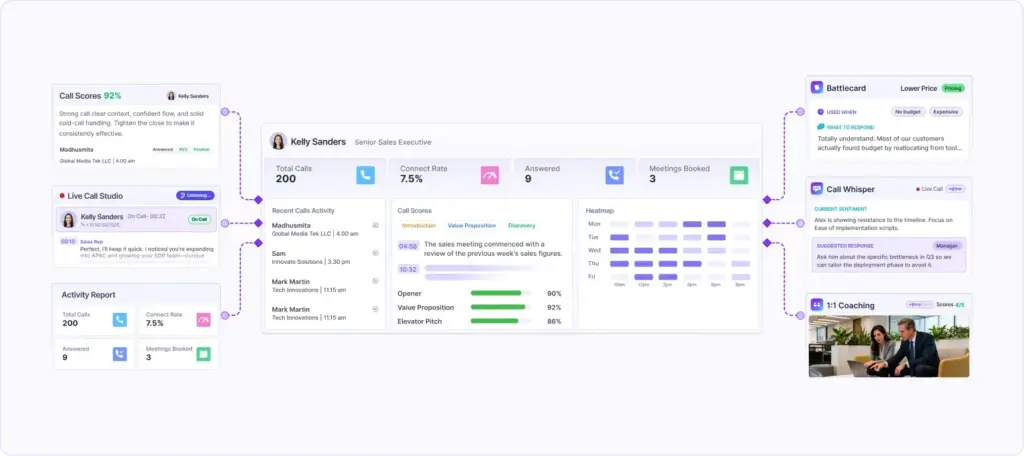
AI Call Coaching Suite: Rep 360 shows coaching gaps in activity and talk-track adherence per rep. AI Battlecards pop up during live calls with answers to common objections. Salesfloor lets managers listen to live calls, whisper guidance, or take over. AI Call Scorecard auto-scores calls so managers enter 1:1s with data instead of guesswork.
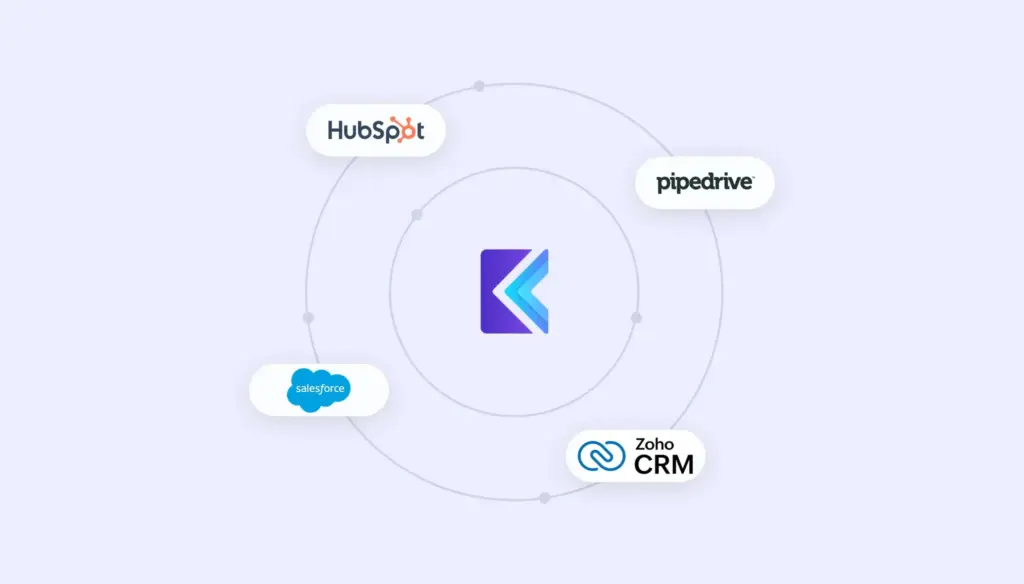
CRM Integration: Bi-directional integration with Salesforce, HubSpot, Pipedrive, Zoho, and MS Dynamics. All call activity, recordings, outcomes, and notes sync automatically. Every dial updates the CRM in real time.
Pricing: $50 to $99 per user per month. Transparent pricing. 14-day free trial.
Pros: Handles data, dialing, and coaching in one platform with no integration overhead. Transparent pricing. SOC 2, HIPAA, GDPR compliant.
Cons: The database is powered by waterfall enrichment (pulling from multiple providers), not a single proprietary database. Teams preferring to browse a curated database may prefer ZoomInfo or Lusha.
2. Lusha: Data-Only SaaS for LinkedIn Prospecting
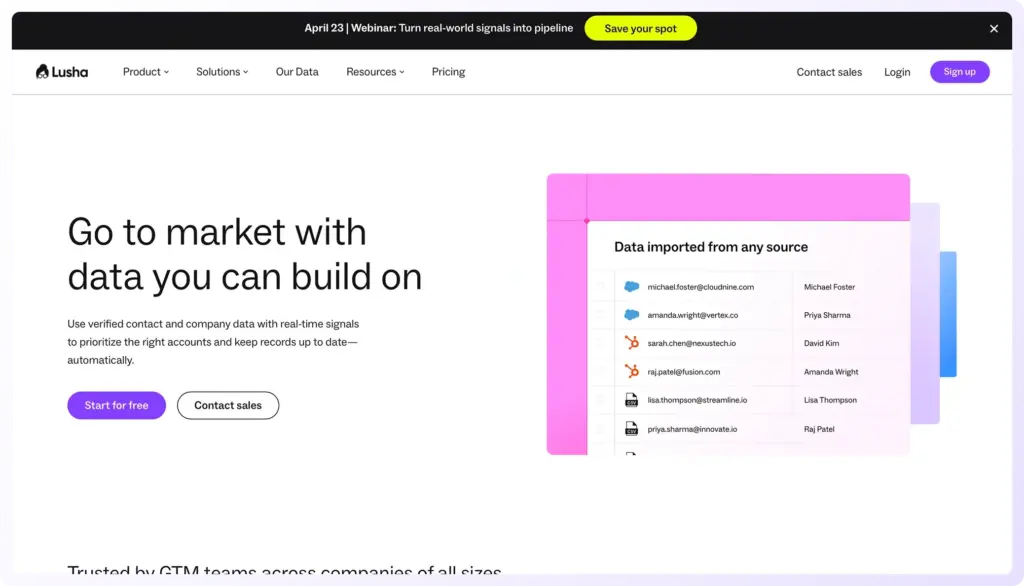
Best for: Teams that prospect heavily on LinkedIn and want a lightweight Chrome extension with solid mobile coverage.
Pricing: Credit-based pricing. $49 to $250 per user per month for mid-market.
Pros: Strong mobile coverage in US mid-market. Fast LinkedIn workflow. Generous free tier.
Cons: Credit-based pricing can get expensive at scale. Weaker in Europe than Cognism. No dialer or coaching built in.
3. Cognism: Data-Only SaaS for EU Teams
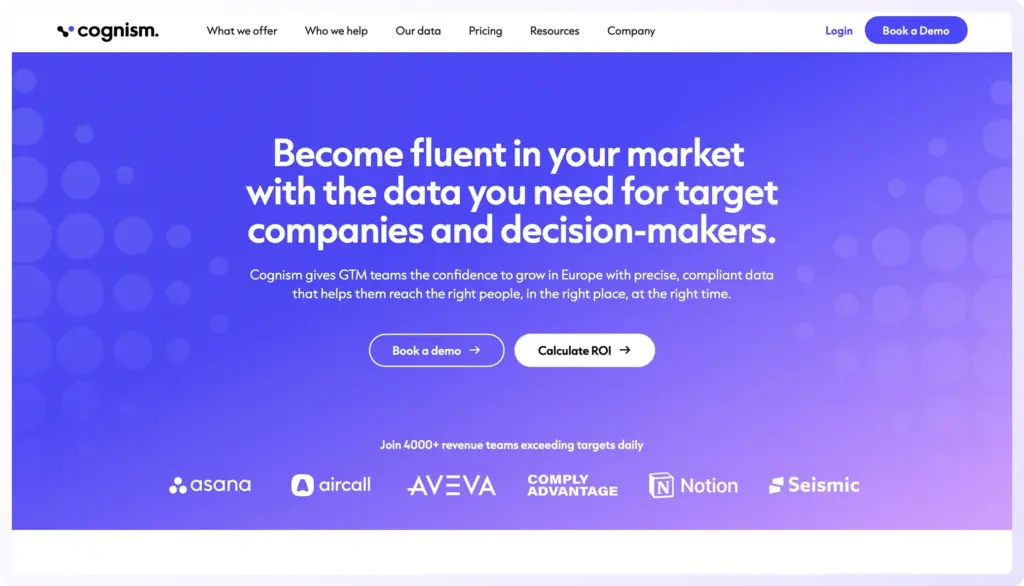
Best for: EU-focused and globally-regulated teams who need GDPR-compliant phone data with strong Europe coverage.
Pricing: Enterprise-only sales motion. Custom pricing.
Pros: Strongest Europe mobile coverage. Diamond Data product is phone-verified. Strong compliance story for EU buyers.
Cons: Opaque pricing. Enterprise-only sales approach. No native dialer.
4. ZoomInfo: Data-Only SaaS for Enterprise
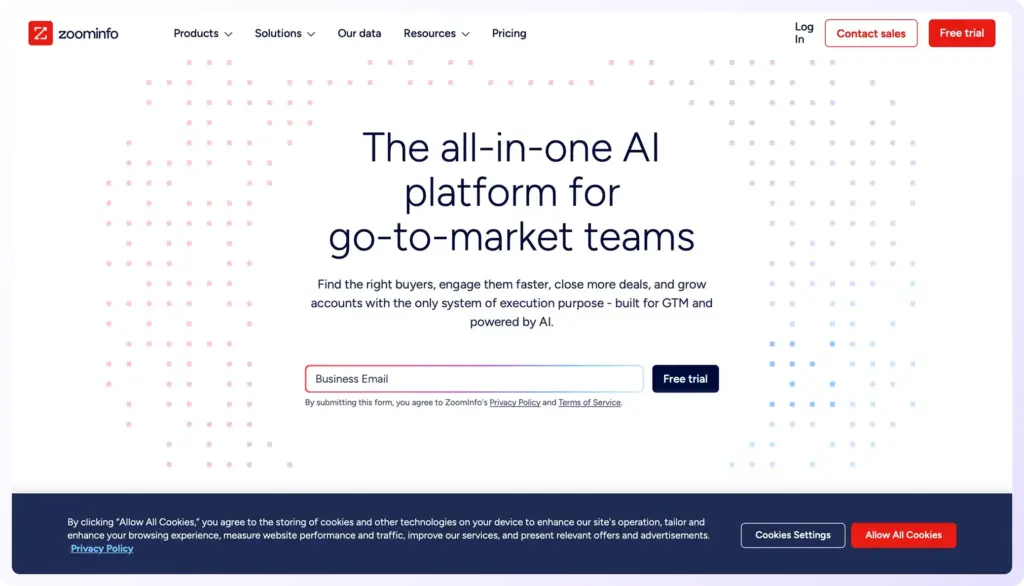
Best for: Enterprise teams targeting US Fortune 500 accounts with large total addressable markets.
Pricing: $15,000 to $150,000+ annual contracts. Enterprise custom pricing.
Pros: Largest US direct-dial database (70M+ numbers). Deep firmographic filters. Strong integrations.
Cons: Price is the most common complaint. US-centric, weaker elsewhere. No dialer or coaching.
5. RocketReach: Data-Only SaaS with Global Coverage
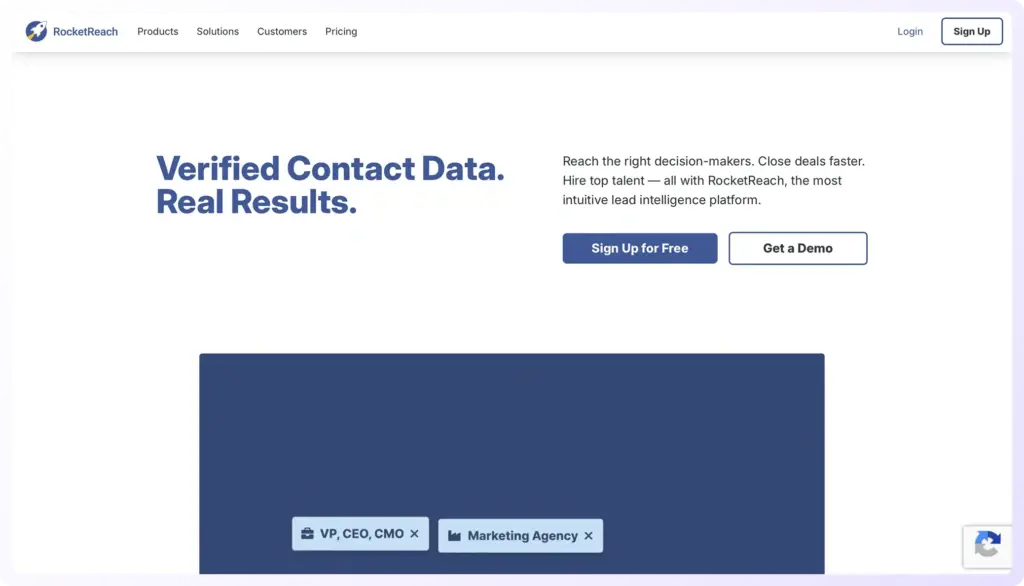
Best for: Teams with a global prospect base who value breadth over depth.
Pricing: Credit-based. Simple per-credit pricing.
Pros: Widest global coverage. Simple pricing. Decent mobile outside the US.
Cons: Mobile match rate in US lags ZoomInfo and Cognism. Credit exhaustion complaints. No native dialer.
6. Kaspr: Data-Only SaaS for Europe
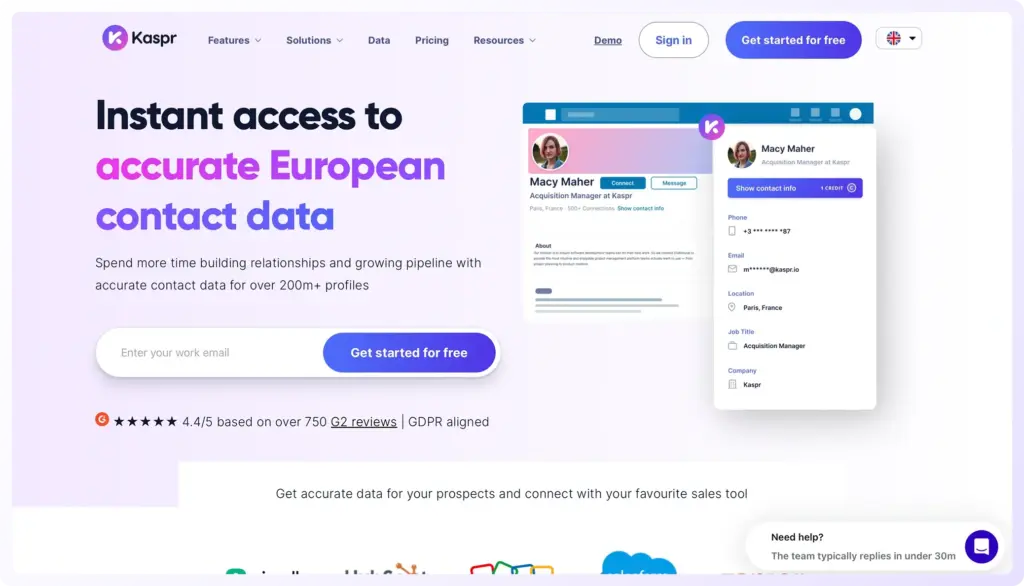
Best for: Mid-market SDR teams in Europe prospecting on LinkedIn on a lean budget.
Pricing: $49 to $150 per user per month.
Pros: Excellent mobile coverage in Europe. Compliance-first. Strong LinkedIn workflow. Affordable.
Cons: Weaker US mobile coverage than Lusha or ZoomInfo. Smaller database. No native dialer.
7. SalesIntel: Data-Only SaaS with Human Verification
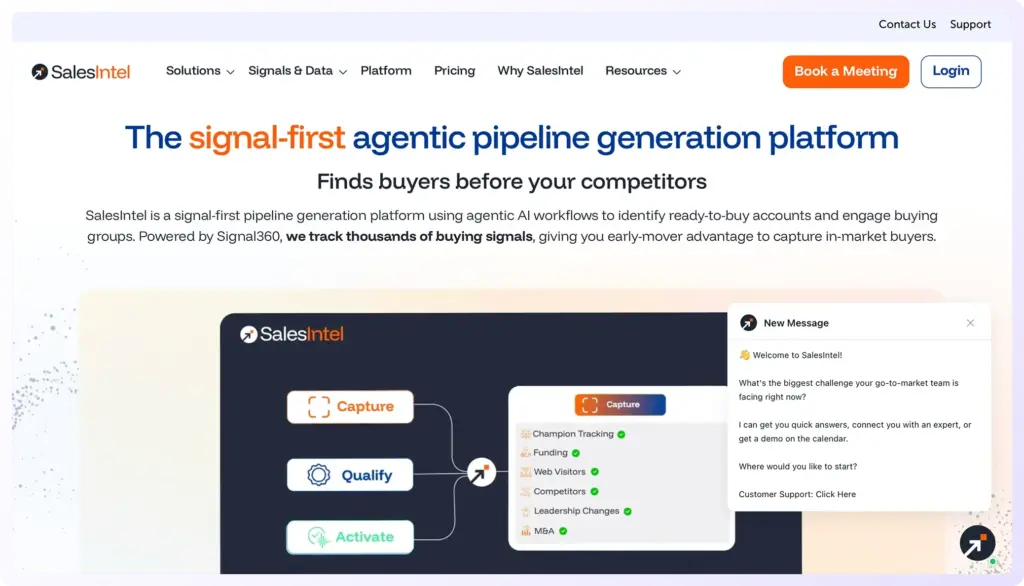
Best for: US mid-market teams who prefer human-verified contact data over automated enrichment.
Pricing: Enterprise custom pricing. Opaque pricing model.
Pros: High accuracy on contacts it has (human verification). Research-on-demand is unique. Good US mid-market coverage.
Cons: Smaller total database. US-heavy, weak internationally. Opaque pricing.
8. Hunter.io: Data-Only SaaS, Email-First
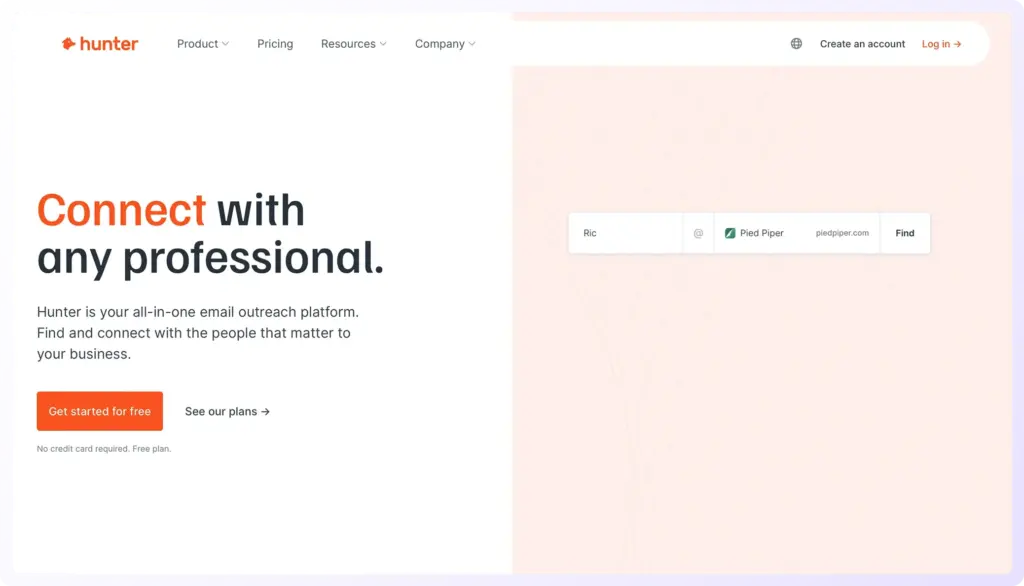
Best for: Teams whose primary workflow is email-first, with phone as a secondary enrichment layer.
Pricing: $34 to $199 per month. Low entry price.
Pros: Excellent email-finding accuracy. Very low entry price. Clean, simple UI.
Cons: Phone enrichment match rates lag dedicated phone tools. Not B2B-only. No native dialer.
How to Choose the Right Phone Number Tool
Do these steps in order. Most teams skip the first step and lock themselves into the wrong category before they compare vendors.
First, pick the category that matches how your team actually works. One-off project? Database seller. Have your own dialer, sequencer, and coaching stack? Data-only SaaS. Measured on conversations and meetings? Data plus dialer platform like Klenty.
Second, test mobile match rate on your actual ideal customer profile list. Upload a 500-contact sample of your real list to the top 2-3 shortlisted tools and measure validated mobile returns. Don't trust vendor marketing claims.
Third, check geographic coverage. EU-heavy? Cognism and Kaspr lead. US-focused? ZoomInfo and Lusha. Global? A multi-source approach smooths regional gaps.
Fourth, verify compliance posture. GDPR, CCPA, PIPEDA, TCPA, DNC screening. Any vendor that cannot show their legal basis for each data source is a risk.
Fifth, test integration depth, especially for data-only tools. Does the tool two-way sync with your CRM? Can you push enriched lists directly into your dialer? Shallow integrations mean reps copy-paste between tools, which kills the productivity gains you bought the tool to get.
Sixth, calculate total cost of ownership per conversation, not per record or per user. Divide (annual cost of the full stack you'll run: data plus dialer plus coaching) by (conversations you'll have in a year). That is the number that matters. Data plus dialer platforms often win here because one bill replaces three.
Why Klenty's Approach Works: A Closer Look
Data is only the beginning. Most teams buy a phone database and realize they still need three more tools: a dialer that can handle volume, infrastructure to keep calls off spam lists, and real-time coaching for reps. Klenty bundles all of this into one platform.
1. Klenty's Dialer: Two Modes for Different Situations
Parallel Dialer dials up to 5 prospects at once and connects you to the first person who answers. This mode is built for high-velocity outbound, eliminating downtime between calls and maximizing live conversations.
Power Dialer calls prospects one after another automatically. It advances to the next contact as soon as your call ends, ensuring a distraction-free workflow with maximized talk time. This mode is perfect for focused call blocks or targeted follow-ups where you work through a list sequentially.
Connect AI: Stop Calls from Being Flagged as Spam
Connect AI is Klenty's proprietary dialing infrastructure that solves the core problem: why calls go unanswered. It operates in three stages.
Pre-dial optimization assigns unique numbers to each rep, chooses the perfect time to dial by analyzing past call connects and email open times, and identifies prospects most likely to answer based on engagement signals.
During dialing, it automatically rotates numbers based on health, uses local area codes to match prospect regions, and enforces call throttling to prevent spam flags.
Post-dial monitoring tracks number health continuously and flags underperforming numbers for replacement.
The industry standard dial-to-connect rate is 1 to 3 percent. Connect AI addresses the structural reasons why calls go unanswered: spam flags from number overuse, calls going out at the wrong time, numbers shared across teams, short call durations signaling spam behavior, and no segmentation by phone intent.
AI Call Coaching Suite: Systematic Coaching, Not Ad-Hoc
Rep 360 shows each rep's total calls made, calls connected, meetings booked, call scores across talk-track areas, topics discussed most often, objection handling, and activity heatmaps. Managers walk into 1:1 coaching sessions fully prepared with data-backed insights.
AI Battlecards automatically surface the right response when a prospect raises a recurring question. Whether it's competitive intel, objection-handling tips, or product details, reps never have to pause or improvise. Managers build and customize Battlecards directly from gaps spotted in Rep 360.
Salesfloor lets managers monitor live calls in real time, listen silently, assist when a call goes off track, or help handle tough objections while the prospect is still on the line. In-the-moment guidance saves deals that would otherwise be lost.
AI Call Scorecard automatically scores every call against your talk track, flagging where reps deviate and providing coaching insights. Managers review call scores and explanations, then leave coaching notes to guide reps for the next call.
Action AI: Reps Stay in Flow
Action AI listens to your sales conversations, understands what was discussed, and intelligently generates the next action. It works three ways.
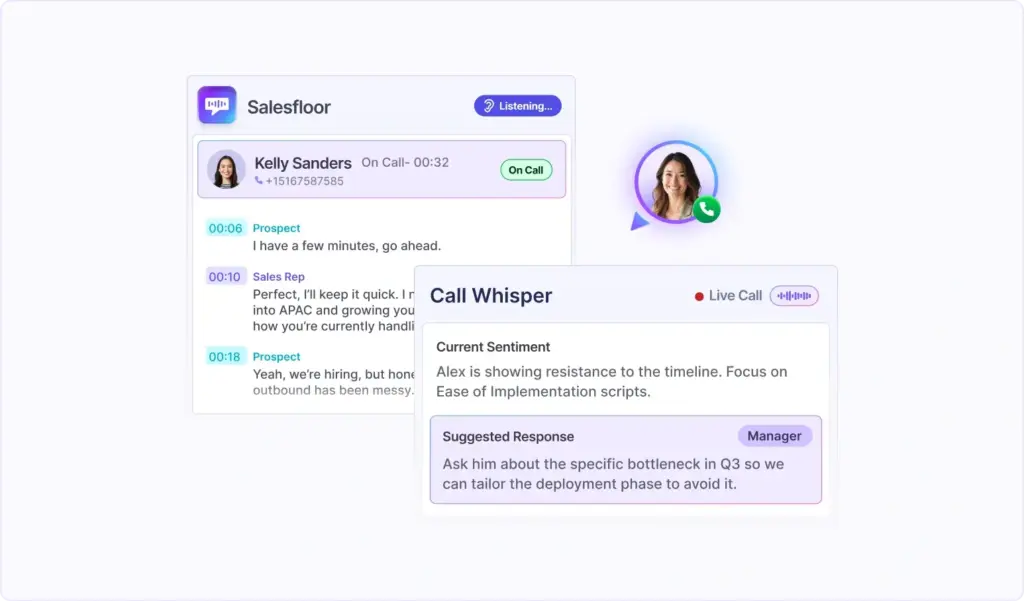
Automatic task creation identifies the next action from your call and creates it automatically. If a prospect says "Call me Friday at 3 pm," Action AI schedules it.
Follow-up drafting uses conversation context to draft personalized follow-ups instantly. No more spending 30 minutes writing follow-up emails.
Smart execution surfaces the right next action for the right prospects at the right time, so every conversation moves forward without manual task creation.
Multi-Channel Outreach: Coordinated Sequences
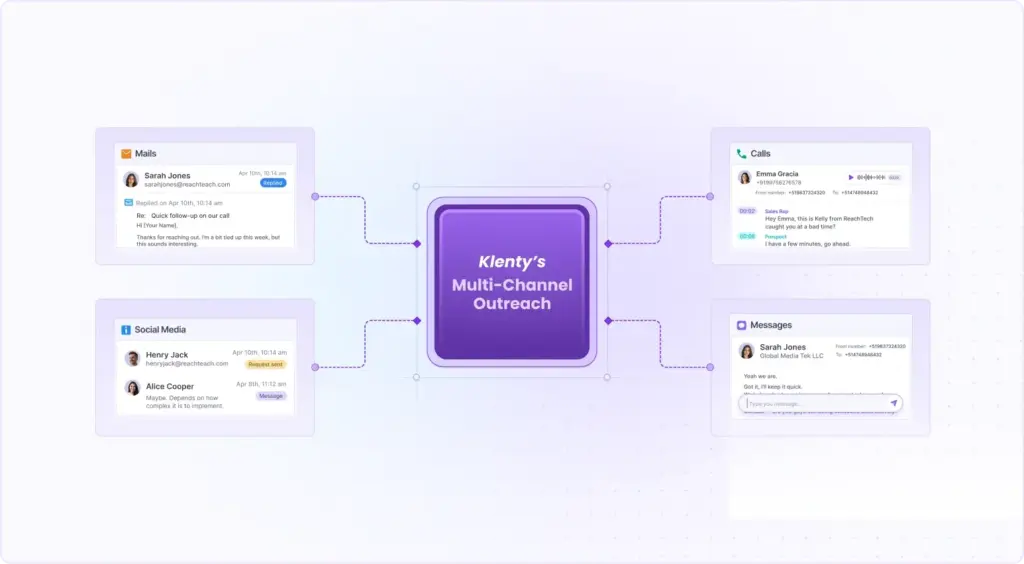
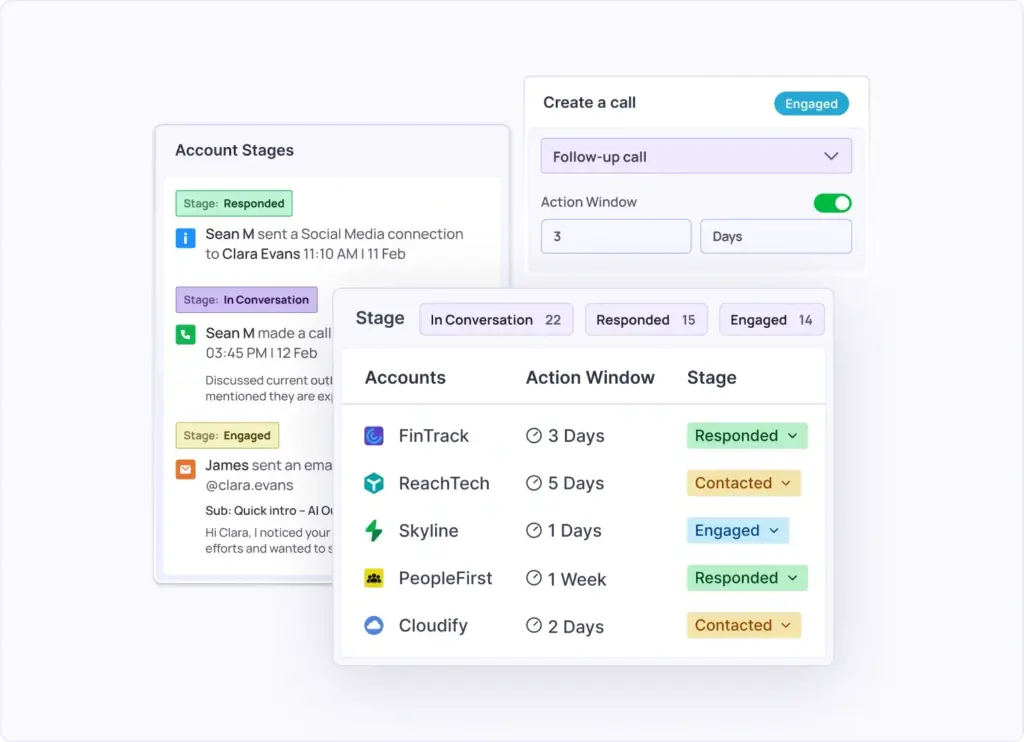
Klenty coordinates outreach across multiple channels into unified sequences. Prospects receive touchpoints through email, SMS, LinkedIn, and phone calls. Agentic Cadences automatically adapt based on prospect behavior. If they engage with an email, they move into a faster sequence. If unresponsive, they move to a nurture sequence. Outreach adjusts in real time based on how prospects respond.
AI List Builder: Build Lists in Plain Language
Describe your ideal customer profile in plain English and the system builds your prospect list automatically. It builds your initial list, enriches and verifies contact information, continuously refreshes the list so you always have fresh prospects, and automatically organizes contacts with tags, scoring, and segmentation.
Email Deliverability Suite: Land in Inboxes, Not Spam
The Email Deliverability Suite ensures emails land in inboxes, not spam folders. It includes email authentication setup (SPF, DKIM, DMARC), warm-up sequences that build sender reputation gradually, bounce handling to keep lists clean, and inbox placement monitoring.
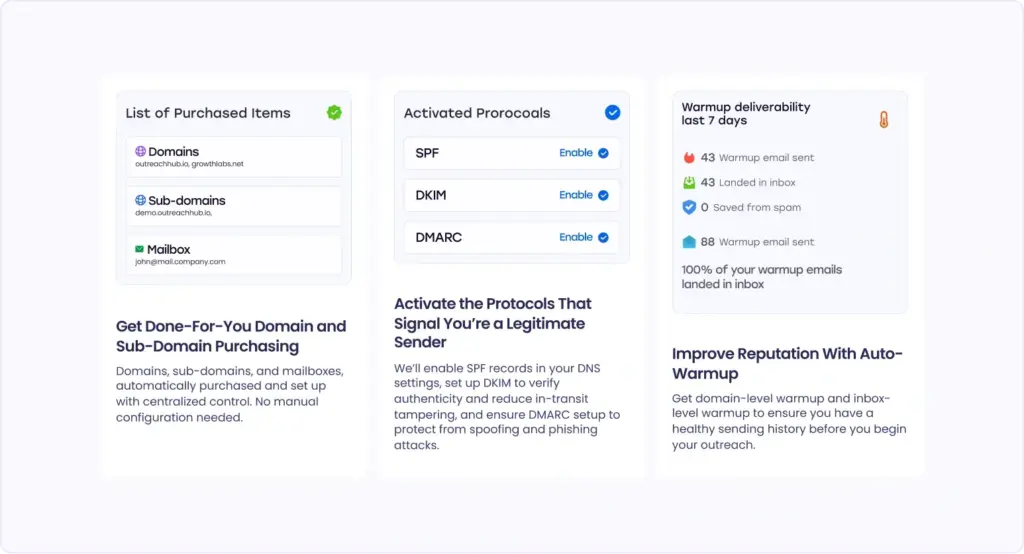
Every email is tracked for opens and clicks, and engagement data syncs back to your CRM. When prospects engage, Agentic Cadences automatically move them into faster follow-up sequences.
The Bottom Line
Finding someone's phone number is not the hard part in 2026. Getting them to pick up, earning the conversation, and coaching your reps through the first 15 seconds is where most outbound teams lose.
Database sellers hand you a CSV and walk away. Data-only SaaS keeps the database fresh and leaves dialing, caller-ID, and coaching for you to solve with other tools. Data plus dialer platforms like Klenty cover the full pipeline. Find. Dial. Connect. Coach. One platform. Transparent pricing. 14 days to test whether it works on your list.
Frequently Asked Questions
How can you find someone's phone number online for free?
How do I find a phone number by name?
Can I find someone's phone number using just their email?
Is it legal to find someone's phone number for cold calling?
What are the 3 types of B2B phone number tools?
How accurate are B2B phone number databases?
How much does a phone number database cost?
About the Author