Many cold calls go unanswered and straight to voicemail, since prospects hesitate to pick up unknown numbers.
As a result, sales reps spend more time leaving voicemails than talking to prospects. Out of 8 hours, just 2-3 are pipeline activity; reps get bogged down in manual tasks like building lists, researching, writing emails, and leaving voicemails, classic non-pipeline activity.
While voicemail is often unavoidable, you can optimize this manual process with Voicemail Drop.
What is voicemail drop, and how can Klenty help you master it? Read on to find out.
What is Voicemail Drop?
A Voicemail Drop is a feature that allows you to automatically send pre-recorded voicemail messages directly to your prospect’s voicemail inbox.
Instead of recording new messages each time or waiting for the beep, you simply select from saved, custom voicemails and drop them in a single click to multiple prospects at once.
This removes repetitive effort, saves hours, and ensures consistent, personalized messages across your outbound sales campaigns. With Voicemail Drop, you can simplify your workflow and maintain engagement with prospects even when they don’t answer the call.
How Does Voicemail Drop Work?
Here’s how the voice mail drop works in dialer solutions that offer this feature.
1. Pre-Record Messages
You customize and save multiple voicemails for future use across different campaigns, so you don’t need to record from scratch every time, no more standardized cadences, just tailored messaging.
2. Voicemail Drop
During your cold calling session, simply leave your voicemails instantly in one click, saving hours that would otherwise be spent waiting for beeps and re-recording messages.
This eliminates manual tasks and allows you to move quickly from one call to the next.
3. Centralized Delivery and Tracking:
All voicemails are tracked from Klenty’s Multichannel Inbox, letting you keep tabs on inbound and outbound messages, so there’s no more missing messages or delayed responses.
You get notified in real time whenever prospects respond and can follow up right away. SDRs go from doers to approvers, focusing on pipeline activity with every interaction.
Is Voicemail Drop Legal?
Voicemail drop is legal as long as businesses obtain prior express consent from recipients before sending messages, especially for promotional or debt collection content.
Consent can be provided via written agreements, online forms, or phone recordings, and non-compliance with TCPA regulations can result in severe penalties.
What Are the Benefits of Using Voicemail Drop?
1. Saves Time
Voicemail Drop lets you leave custom, pre-recorded voicemails instantly with just one click, so you don’t waste time waiting for beeps or manually re-recording messages.
Automated delivery means you can jump right into your next call, dedicating more hours to productive pipeline activity instead of repetitive manual tasks.
2. Increased Call Volume
When your team spends less time leaving voicemails, you can reach more prospects each day and boost your calling throughput. Voicemail Drop helps you focus on connecting with prospects, maximizing call volume, and giving you more chances to succeed.
3. Better Consistency
With pre-recorded voicemails, every prospect hears a polished, well-crafted message. Manual voicemails can suffer from fatigue and inconsistency, but automation through Voicemail Drop keeps your pitch energetic and professional every time.
How to Use Voicemail Drop in Your Outbound Calling?
With the Voicemail feature, you will be able to send perfectly crafted voicemails to your prospects every time with minimal effort.
Avoid wasting time recording the same voicemail again and again, and instead, drop a pre-recorded voicemail with a click of a button.
For Outbound Voicemail:
To create pre-recorded voicemails, head to Settings > Calls > Voicemail > + Record new voicemail.
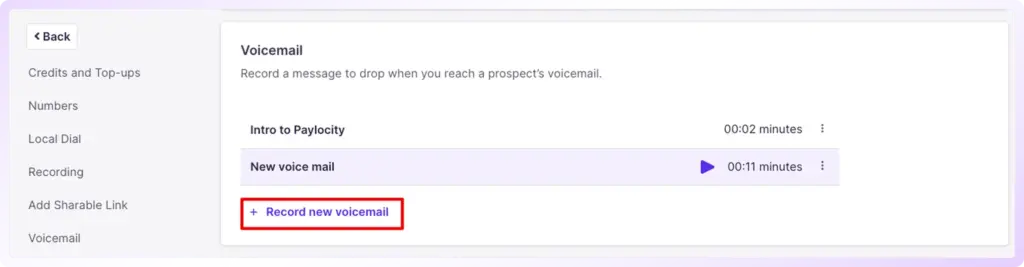
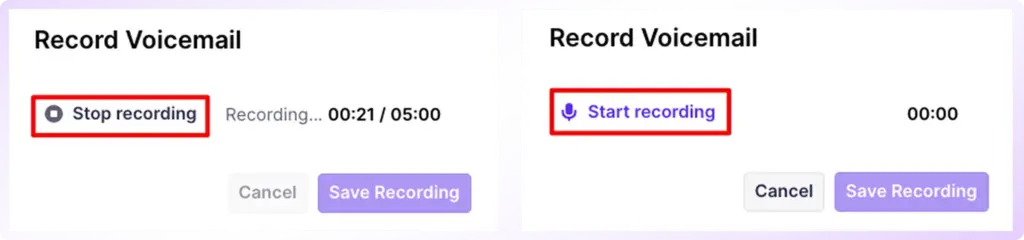
Doing so, a dialog box opens up as shown below. Click on the Start recording button to record your voicemail.
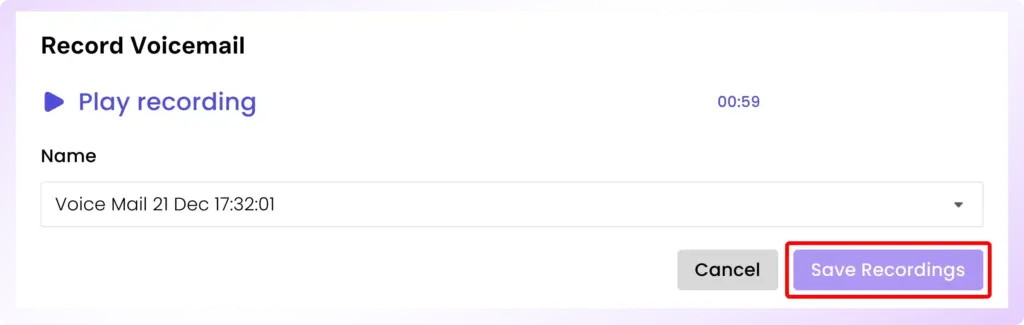
Once you are done, click on the Stop recording button and hit Save Recording as shown below. This will create the pre-recorded voicemail. You can also give a name for the pre-recorded voicemail. Like this, you can create many pre-recorded voicemails, if required.
Now that you've created the pre-recorded voicemail, you can drop it in your prospects' voicemail box. While calling your prospects, if they are unavailable to answer, you can click on the Voicemail icon, select the required pre-recorded voicemail, and click on it.
Your voicemail has now been successfully dropped into your prospects' voicemail box.
How Can Klenty Help You with Voicemail Dropping?
You will see up to a 30% increase in your callback rates with Klenty.
1. Reach More Prospects with Custom Pre-Recorded Voicemails
Klenty lets you customize and save multiple pre-recorded voicemail messages for different prospect segments and campaigns, so you never have to record from scratch for every outreach.
Effortlessly deliver personalized, high-impact messages at scale, eliminating repetitive manual work and ensuring every prospect receives the right message at the right time.
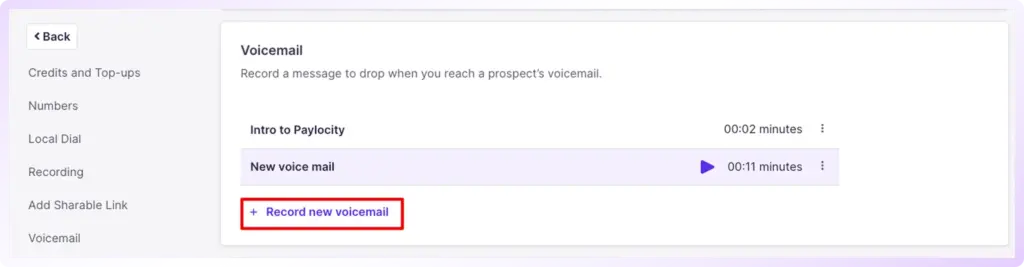
This is possible with the Power Dialer and Parallel Dialer options in Klenty.
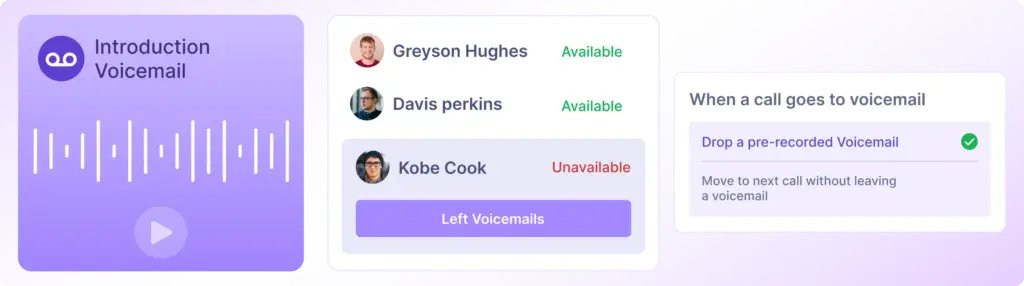
2. Drop Voicemails Instantly in 1-Click
With Klenty’s Voicemail Drop, you can leave voicemails instantly in just one click, saving hours you’d otherwise spend waiting for the beep and re-recording messages.
This automation transforms voicemails from a tedious, manual task into a single, simplified action, empowering your reps to keep the momentum going throughout outbound campaigns.
3. Personalized Templates
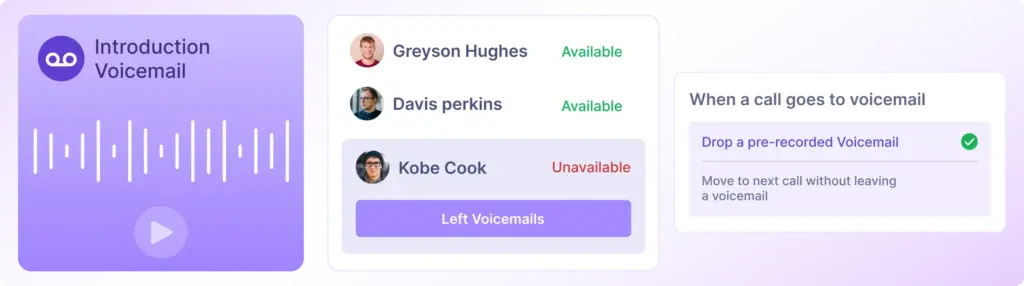
You can create and save multiple voicemail templates tailored to different campaigns in Klenty.
This allows for customization based on prospect segments, which can lead to higher engagement and response rates.
4. Centralize and Track All Communications From a Single Inbox
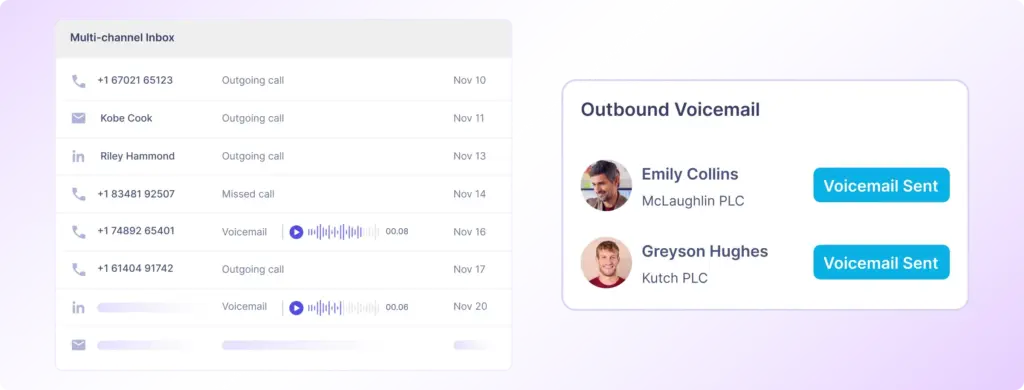
Klenty’s Multichannel Inbox enables you to keep track of all inbound and outbound voicemails in one place. You get complete visibility and control over every communication, so you never deal with missed messages or delayed responses, and your entire sales workflow stays organized and efficient.
5. Follow-Up Right Away with Real-Time Alerts
Klenty gives you real-time notifications as soon as a prospect responds, so you can follow up without any delays. Immediate alerts help your team seize every callback opportunity and move prospects through the pipeline while they’re engaged.
7. Out-of-Office Voicemail
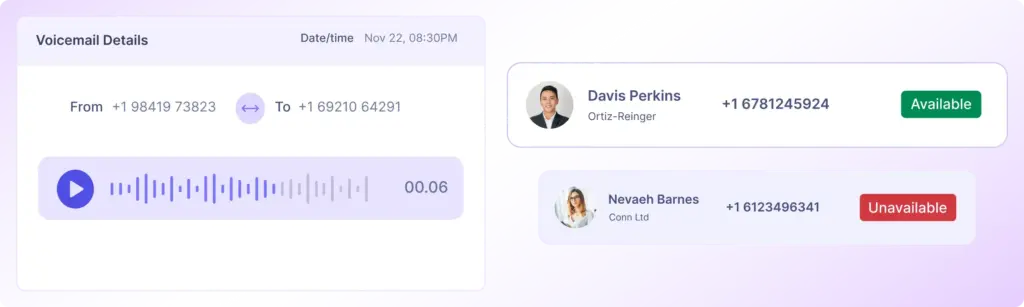
If the prospect decides to call you back after listening to the voicemail you left, and if you’re not available to take the call, Klenty can automatically drop a voicemail on your behalf, ensuring that prospects are informed about your availability & on how to leave their details.
With Klenty, you reclaim hours of your workday, automate manual tasks, and ensure your sales team is focused entirely on activities that actually drive pipeline growth, not just keeping up with overdue tasks and manual busywork.
Conclusion
Ready to finally make every cold call count?
With Voicemail Drop, you simplify manual tasks, boost your callback rates, and deliver consistent, high-quality messages to every prospect. Automate repetitive work, stay responsive, and drive pipeline results, all while focusing on what matters most: building valuable connections and closing more deals.
Voicemail Drop is just one way Klenty helps you save time during sales calls and reach more prospects.
Book a Demo to see how Klenty can automate your calls, track every conversation, and help you follow up faster.
FAQs
Are voicemail drops illegal?
Do voicemail drops work?
How do I drop a voicemail?
Can I track and manage responses to voicemail drops?
About the Author