For many sales teams, the challenge isn’t just how much Outreach.io costs; it’s what you’re paying for and what you still have to bolt on or do manually.
Before you sign a contract, ask if you’re okay with a platform that:
- Makes reps manually create tasks after every conversation, schedule follow-ups, write recap emails, and update CRM fields. This breaks their momentum, increases context switching, and results in missed next steps.
- Uses standardized cadences and similar messaging for every account, instead of truly account-specific engagement.
- Requires separate data tools to find, enrich, and manage prospect lists, adding extra cost and complexity.
- Does not natively score or vet your ICP accounts, so reps still waste time on low-fit prospects.
- Keeps reps buried in task queues and manual execution: research, emails, calls, approvals, and CRM admin.
- Lacks a full deliverability and high-velocity dialing stack, making it hard to scale the channels that actually generate conversations.
This guide breaks down Outreach.io pricing so you can decide if it fits your budget, or if it’s time to look at more predictable, affordable alternatives with transparent plans, built‑in data and AI, and a lighter lift on onboarding and support.
What Is Outreach.io?
Outreach is an AI-powered revenue workflow platform designed to help sales teams efficiently manage and automate their prospecting, engagement, and deal management processes.
Outreach offers sales execution, pipeline management, conversation intelligence, and revenue forecasting tools, all integrated to drive more effective buyer interactions across the entire customer lifecycle.
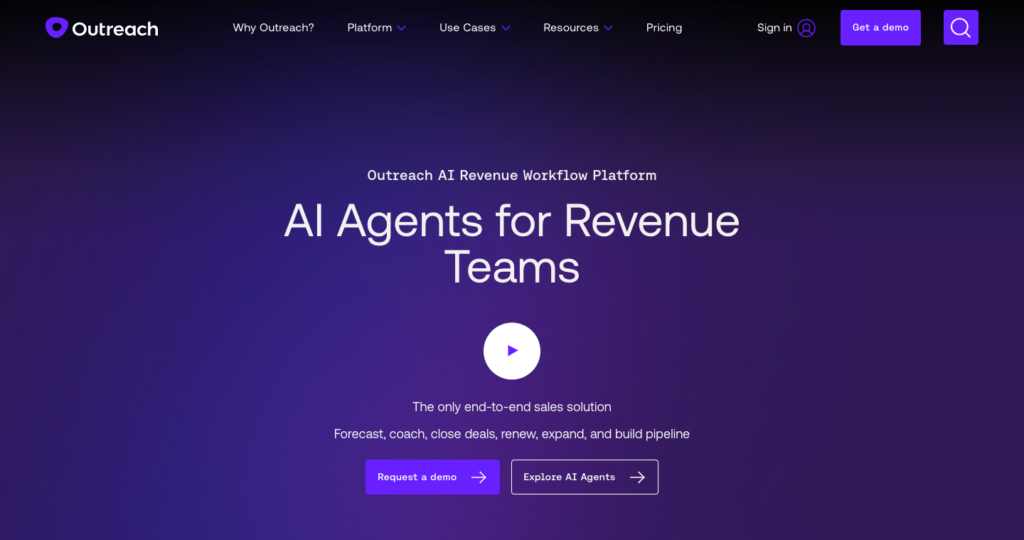
Founded in 2014, Outreach serves over 6,000 businesses globally and positions itself as a category-defining solution for sales engagement and revenue operations in the B2B market.
What Does Outreach.io Offer For the Price?
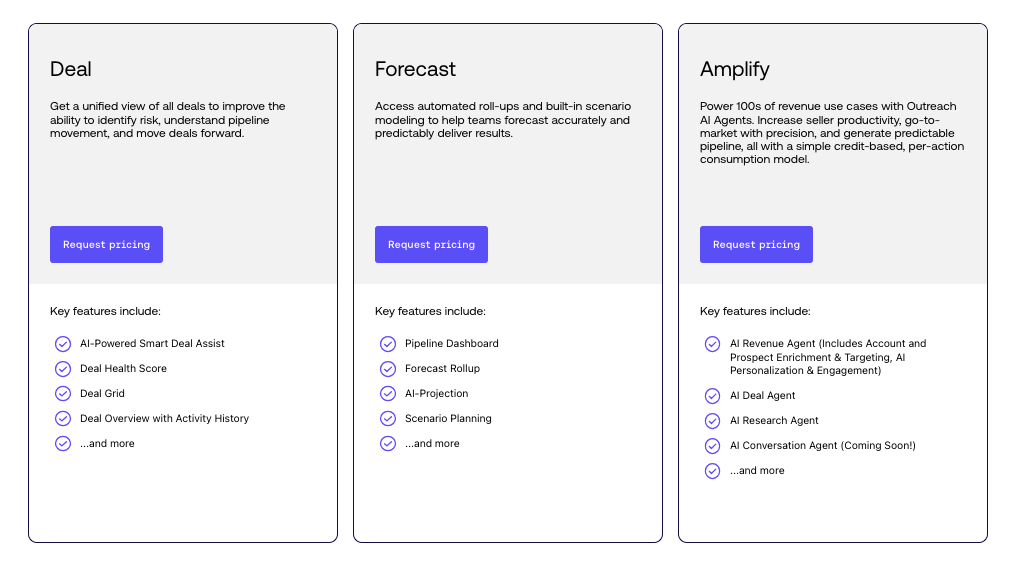
You can choose from multiple Outreach packages, each focused on a specific set of capabilities:
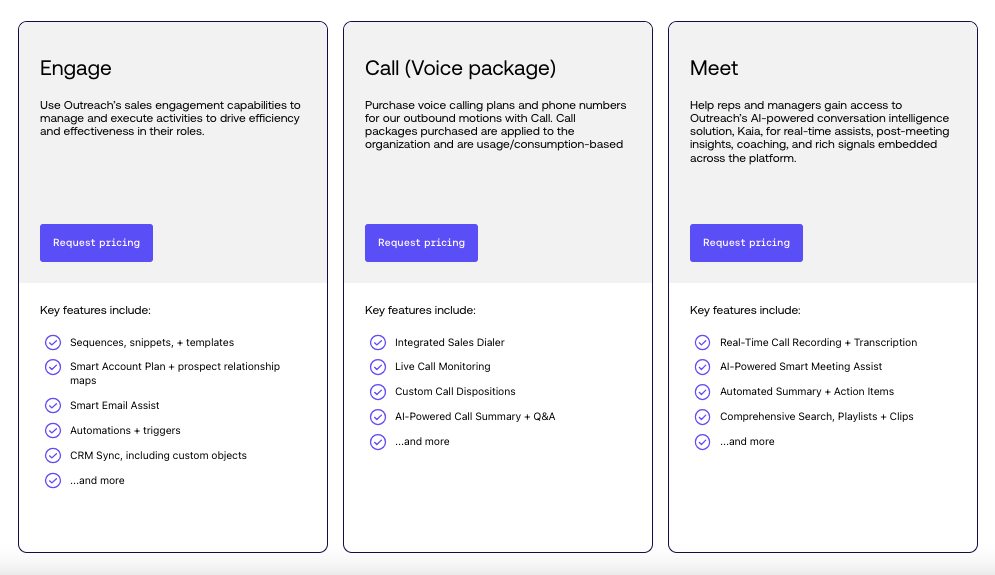
- Engage: Manage and execute sales engagement activities to drive efficiency and effectiveness in your role.
Key features: Sequences, Snippets, Templates, Smart Account Plan, and more. - Call (Voice package): Purchase voice calling plans and phone numbers for outbound motions.
Key features: Integrated Sales Dialer, Live Call Monitoring, and more. - Meet: Access AI-powered conversation intelligence for real-time assists, post-meeting insights, and coaching.
Key features: Real-Time Call Recording, AI Smart Meeting Assist, and more. - Deal: Get a unified view of all deals to identify risk, understand the pipeline, and move deals forward.
Key features: AI Deal Assist, Deal Health Score, Deal Grid, Activity History. - Forecast: Automate roll-ups and scenario modeling for accurate revenue forecasts.
Key features: Pipeline Dashboard, Forecast Rollup, AI Projection. - Amplify: Power revenue workstreams using Outreach AI Agents, with a credit-based, per-action consumption model.
Key features: AI Revenue Agent, AI Deal Agent, AI Research Agent, AI Personalization & Engagement.
Professional onboarding services are available, with options ranging from self-serve to complete implementation and training; custom pricing.
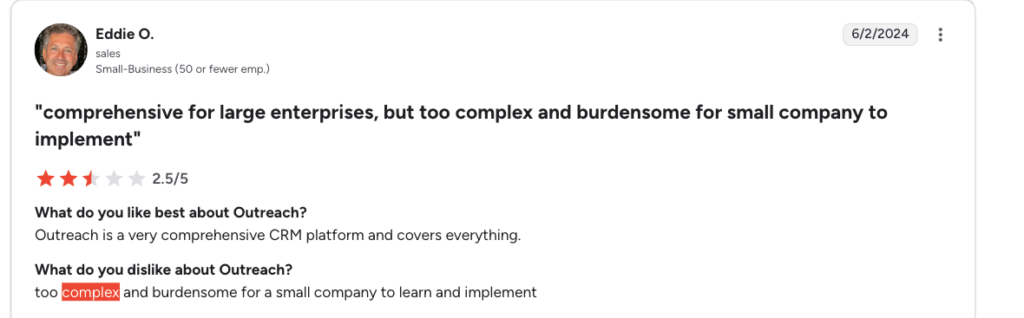
Is Outreach.io Worth the Investment for Your Sales Process?
Pros and Cons of Outreach.io
Pros:
- Designed for enterprise sales teams - Outreach delivers robust sales execution, pipeline management, forecasting, and analytics that fit the requirements of larger organizations managing multi-stage, high-volume deal cycles.
- Advanced automation capabilities - Outreach enables automation of key sales activities, including multi-step email and call sequences, automatic follow-ups, out-of-office detection, pausing for email sequences, bi-directional CRM sync, and automated calendar scheduling. These automations reduce administrative burdens for sales reps.
- AI-driven analytics - Teams benefit from Outreach’s AI-powered insights, deal health scoring, buyer sentiment classification, predictive forecasting, and voice analytics, helping leaders and reps make data-driven decisions and improve win rates.
- Strong integrations - Outreach offers integration with leading CRMs (Salesforce, HubSpot, Microsoft Dynamics 365) and connects with a broad range of external sales tools such as DocuSign, Intercom, ZoomInfo, and 6sense.
Cons:
- No AI-Based Next Step Execution After Sales Calls - Once a sales conversation ends, Outreach logs the call. But reps have to interrupt their dialing flow, remember the call context, schedule the next action, and then resume the session. As more calls occur, overdue follow-ups accumulate on the dashboard, critical follow-ups go unaddressed, and warm conversations turn cold.
- Standardized Sequences for Each Account - Outreach.io’s platform centers around standardized cadences and automation, meaning the same template, messaging, and engagement steps are typically used across all accounts. This “one-size-fits-all” cadence setup fails to deliver a custom engagement approach per account, even when different industries, roles, or opportunity levels require tailored strategies.
- Requiring Separate Data Tools - With Outreach.io, you must use third-party data tools or list providers to source and enrich accounts and contact data before you can launch outbound. The platform doesn’t fetch contact data or build lists natively; reps spend hours researching and managing contact info outside of Outreach, leading to extra costs and workflow complexity.
- Does Not Offer a Way to Vet ICP Accounts - Outreach.io does not natively score, tier, or vet your Ideal Customer Profile (ICP) accounts before sequencing. Reps often end up calling and emailing accounts that don’t fit the target criteria, resulting in poor connect rates, lower-quality pipeline, and wasted rep effort.
- Heavy Manual Burden on Reps - Outreach.io’s “task-based approach” raises tasks and reminders for each sequence step, leaving manual research, calling, emailing, and approvals to the rep. Overdue tasks are common in Outreach dashboards, and reps are forced to juggle a backlog of follow-ups and admin actions.
- Does Not Offer a Way to Scale High-Performing Outbound Channels
a) No Deliverability Infrastructure - Outreach does not offer a dedicated end-to-end deliverability suite (e.g., auto-warmup, inbox rotation, deliverability diagnostics) to systematically ensure your emails avoid spam, resulting in high bounce and low response rates.
b) Lack of High-Velocity Dialing - The native dialer allows one call at a time with no parallel or power dialing or voicemail automation. As a result, teams cannot scale cold calls or drive high daily connect volumes.
Why Klenty Is the Best Outreach.io Alternative
Klenty keeps your outreach moving after every conversation, instead of handing you more tasks.
In Outreach.io, once you finish a call or get a reply, the cadence typically stops. From there, everything depends on you: remembering the context, deciding the next step, creating follow-up tasks, setting reminders, and coming back at the right time.
With Klenty, execution doesn’t stop at the conversation. After your sales interaction, AI automatically creates the next step for you, follow-ups, reminders, and actions based on the context of the conversation.
Instead of just suggesting what you could do next, Klenty prepares the execution so you can review and move forward without breaking your flow.
You use Klenty’s sales engagement platform to plan, execute, and track outbound across channels, while AI takes over non-pipeline work like list building, account research, and email drafting, so you can spend more time on real conversations and less time managing tasks.
Who Is Klenty Best For?
- If your momentum breaks after every conversation, Klenty offers AI-based next-step execution instead of manual follow-through. After every call, reply, or meeting, AI automatically creates follow-ups, tasks, and reminders based on the context of that interaction. Instead of deciding, logging, scheduling, and remembering everything yourself, you simply review and proceed, without breaking your flow.
- If you’re tired of one-size-fits-all cadences, Klenty is best when you need account-specific engagement. AI agents design tailored strategies for each account and prospect, so your messaging and steps adapt to industry, role, and deal stage instead of staying generic.
- If you’re stuck juggling separate data tools, Klenty is best when you want native list building and enrichment in one place. You get instant ICP-based lists, with accounts scored and enriched with verified contact data, so reps always start from a high-fit, ready-to-work list.
- If you’re wasting time on low-fit accounts, Klenty is best when you need built-in ICP scoring and vetting. The platform continuously scores and tiers accounts, so you know exactly who to prioritize and why, instead of guessing.
- If your team is drowning in tasks, Klenty is best when you want to move from manual work to approval-only workflows. AI handles list building, account research, email drafting, follow-ups, and CRM updates, while your reps focus on live conversations and booking meetings.
- If you can’t scale the channels that actually work, Klenty is best when you need strong email deliverability and high-velocity calling. You get a full deliverability stack plus power and parallel dialers, so emails land in primary inboxes and your team can run more calls with less downtime.
Let’s dive a little deeper into the different features offered by Klenty that help sales teams meet their goals and become better sellers:
1. AI-based next step execution with Action AI
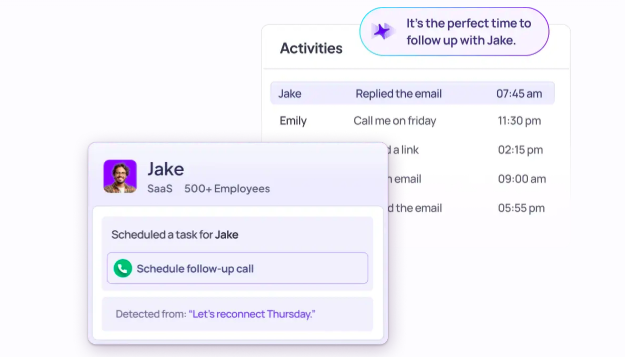
Klenty’s Action AI listens to your sales conversations, understands what was discussed on the call, and intelligently generates the next action. You can focus on dialing, not managing next steps, execute the right tasks at the right time, and save time with auto-generated follow-up messaging.
Schedule Next Actions As Soon As the Cold Call Ends - Skip digging through transcripts or manually creating tasks. Action AI identifies the next action from your call and automatically creates it.
Example: If a prospect says – "Call me Friday at 3 pm," then Action AI schedules that follow-up automatically.
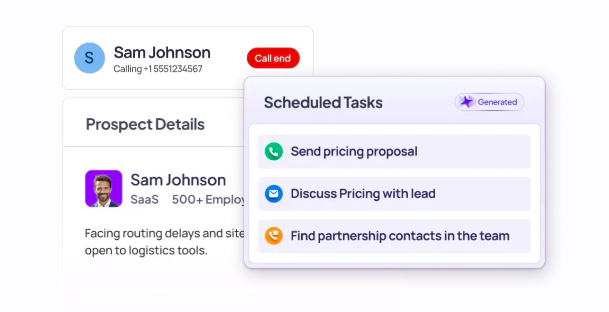
Find Your Next Actions Generated For You - No more spending 30 minutes writing follow-up emails or finding new contacts. Action AI uses conversation context to draft personalized follow-ups instantly.
Example: If a prospect says – "Reach out next week," then Action AI selects a smart default window based on rep-defined rules.
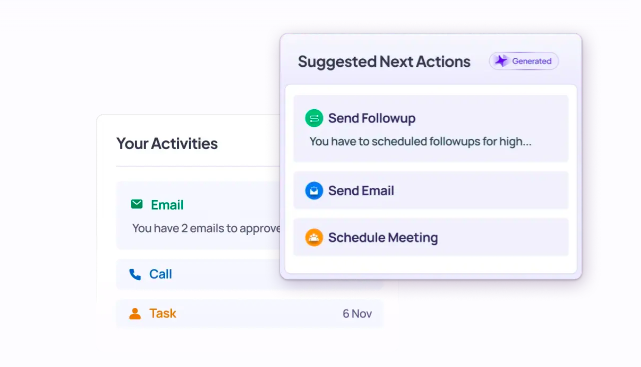
Execute the Right Action at the Right Time, effortlessly - Say goodbye to forgetting follow-ups. Action AI surfaces the right next action for the right prospects at the right time, so every conversation moves forward.
Example: If a prospect says – "You should speak to Sarah, our Head of Procurement," then Action AI searches for Sarah, adds her to the account, and generates the appropriate task.
2. Agentic Cadences
Agentic Cadences help sales teams create a unique strategy of engagement for each account- and then execute that strategy with AI.
Agentic Cadences let you use AI in 3 specific ways
- Create entire personalized cadences with AI
- Ask AI to create specific email steps in the cadence- be it personalized emails or research actions.
- Insert account and prospect research into your existing templates with ‘AI Variables.’
Agentic Cadences allow reps to go from manually drafting every sequence and every email to just ‘reviewing and approving’ AI output. You get complete control over AI generation- set guardrails at the global-level (across your team), sequence-level, or at the email-level.
3. AI List Builder
List building has always been a bottleneck. Sales reps spend hours refining filters only to settle for imperfect lists that don’t match exactly your ICP. Filters can only get you so far.
Klenty’s AI List Builder changes that. SDRs can now build lists using a prompt in simple English. Sales reps simply type out a prompt like:
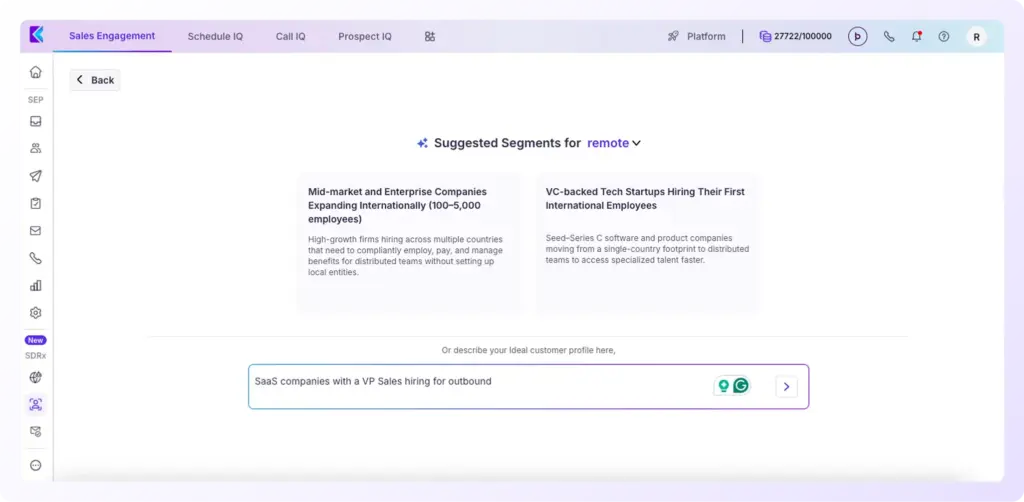
“Find B2B SaaS companies hiring SDRs, expanding to APAC, using Salesforce.”
The AI taps into a database of 700M+ contacts, scores the accounts based on your prompt, and gives you the reason for each score, so you’re not guessing why it’s a good fit.
Even better: You can go beyond filters, use keywords, or exclusions to refine with precision.
Once you have the ideal account list, the AI enriches it with verified contact data (emails + phone numbers) using a waterfall approach.
4. Automate Prospecting with a Team of AI Agents
Klenty’s AI Agents automate prospecting. Simply describe your ideal customer profile (ICP), and Klenty builds targeted lists, enriches contact data, researches accounts, and writes relevant, personalized emails for you. Your reps only need to review and approve, letting them spend more time on real conversations and less on admin.
5. Email Deliverability Suite
Klenty provides a full-stack email deliverability suite to ensure your emails don’t end up in spam.
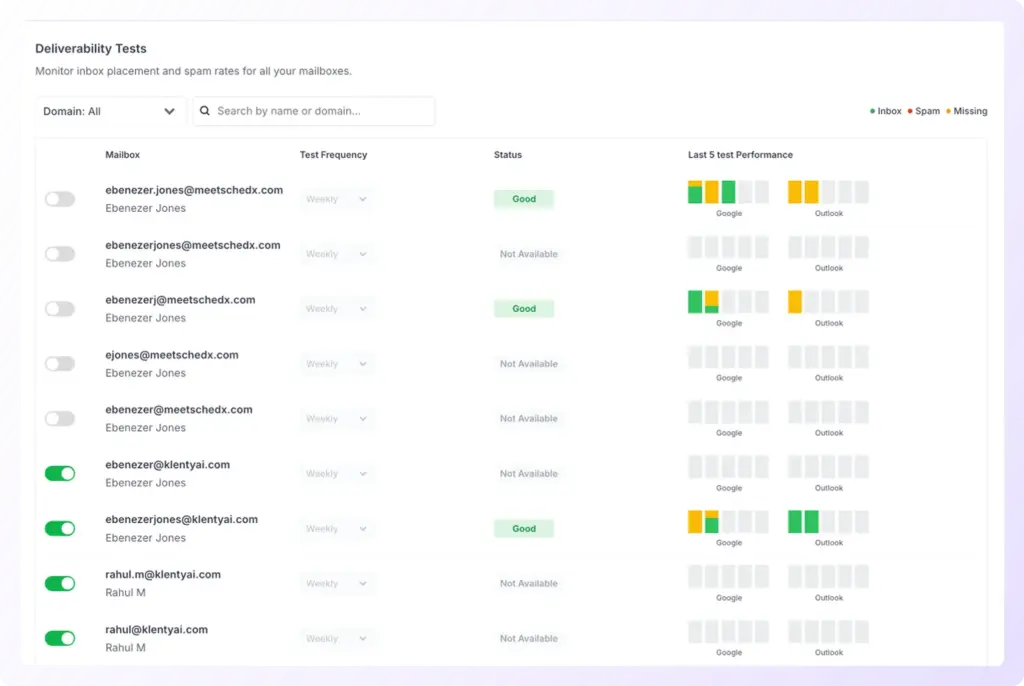
It handles everything from the initial setup to optimization:
How Email Deliverability is Improved
- Done-for-you domain and mailbox setup, including DKIM, DMARC, and SPF
- Auto-email warmup and Auto-inbox rotation
- Centralized domain-level and mailbox-level reporting
- Periodic optimization and on-demand deliverability tests
- Email throttling to mimic human-like send patterns
- Custom tracking domains and spam safeguard checks
Klenty provides deliverability insights showing the percentage of emails that land in the Primary Tab across different email service providers, along with suggestions for improving deliverability.
This goes beyond basic deliverability tools by giving actionable intelligence on inbox placement rates - something most competitors don't offer.
Additionally, Klenty's custom domain tracking helps build custom links and domains to avoid spam filters
6. Parallel & Power Dialer
Klenty’s AI Power and AI Parallel Dialers let reps breeze through call blocks without dialing each number or listening to endless dial tones and voicemails. Automatic skip features eliminate dead time, enabling conversation-to-conversation calling for maximum talk time, and productivity jumps from hours lost to admin to hours spent selling.
7. Goals and Reports
Klenty is best for goal-driven sales teams. Managers can set daily, weekly, and monthly targets for the sales team, get them to commit towards targets for activity, prospect coverage, and conversion, and spot gaps as they happen (not after) to ensure timely interventions.
8. Deep integrations with CRMs
Klenty integrates deeply with Salesforce, HubSpot, Pipedrive, and Zoho CRM to drive true acceleration. Any contact you add to your CRM gets updated automatically in Klenty. Set up Triggers to drive leads from Klenty back into your CRM and save hours every day to focus on critical selling activities.
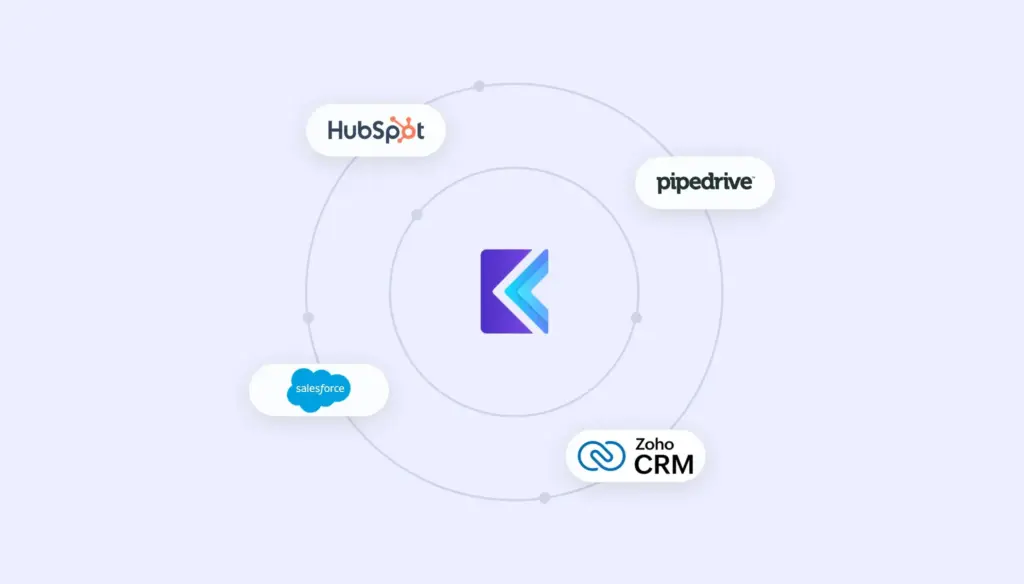
With Klenty’s CRM Acceleration:
- Auto-sync email engagement data like opens, clicks, and replies straight into your CRM.
- Book meetings, send emails, and manage outreach campaigns directly from within your CRM, no screen-switching needed.
- All conversations and email copies sync back into your CRM, so it remains your complete source of truth.
- Use automated workflows to import contacts, update data, and create tasks, making every hour of your team’s day more effective.
Klenty ensures reps focus on building relationships, closing deals, and executing pure selling activities, never on manual busywork or tedious data entry.
Conclusion
You need to ask yourself, “What are we actually getting for what we pay?”
That’s why it makes sense to move toward pricing and a product experience that are built for outcomes, not overhead:
- Transparent plans you can see upfront, with no hidden fees.
- A 14‑day free trial so you can validate results on your own pipeline.
- Free onboarding, implementation, 24x5 support, deliverability help, and quarterly reviews included.
- Affordable plans starting around $50/user/month, with the flexibility to pay only for what you actually use, whether that’s email-only or full multi-channel.
After your sales call ends, Action AI will execute the next step, create follow-ups, tasks, and reminders automatically instead of just suggesting them, while you focus on real conversations and meetings.
If your goal is to move from standardized cadences, separate data tools, and manual busywork to a predictable pipeline and clear, all‑in pricing, the next logical step is simple: book a demo today and see that difference in your numbers.
Frequently Asked Questions
1. How does Outreach.io pricing work?
2. Does Outreach.io charge setup or onboarding fees?
3. Are there any hidden fees or costs for Outreach.io?
4. Is there a free trial or transparent pricing for Outreach.io?
5. How does Outreach.io’s pricing compare to alternatives like Klenty?
About the Author