Your reps click to dial a prospect. The call goes to voicemail. They wait through the greeting, hit the tone, leave a message manually. Hang up. Manually update the CRM with "voicemail left." Move to the next prospect.
Repeat this 50 times a day, and you've burned hours on non-pipeline activity, all while your actual connect rate stays stuck in the 1-3% range.
And when your reps finally do connect? You have no visibility into what they're saying. Your coaching is guesswork. Your best talk tracks stay locked in one rep's head. Objection handling is inconsistent across the team.
You are flying blind on outcomes. Did they set a real meeting? What's the next step? Is this deal moving forward or stalling? Your reps know, but you don't, until they manually update the CRM hours later, if at all.
What Is Click-to-Call Dialer?
A click-to-call dialer software allows you to initiate a prospect call in real time by simply clicking your prospect’s phone number, usually from within your CRM or sales engagement platform.
The best click-to-call dialers solve three critical gaps:
- Connect Rate Problem: They use intelligent infrastructure to ensure your calls actually reach live prospects, not voicemail jail.
- Visibility Problem: They give managers real-time insight into what reps are saying, so coaching becomes data-driven, not guesswork.
- Admin Problem: They eliminate manual voicemail listening, CRM updates, and next-step decisions with AI automation.
Who Can Benefit From Using a Click-to-Call Dialer in Sales?
There are predominantly 2 types of sales dialers: Auto dialers and click-to-call dialers. Auto dialers automatically dial prospects one after the other, while click-to-call dialers require sales reps to initiate the calls with a click.
Now, while auto dialers can seem more convenient, they don’t give sales reps much time to prepare between calls, making them ideal for reps who are well-versed in the art of cold calling or sales teams whose outbound strategy requires minimal personalization.
As for click-to-call dialers, it can prove to be the superior choice for sales reps who:
- Follow Up on Previous Interactions
Sales reps often warm up their cold calls by sharing an email or connecting with the prospect on LinkedIn before dialing the call.
As a result, they might need a few moments to personalize their cold call script based on the contents of the previous touchpoints. A click-to-call dialer helps here by allowing the sales rep control over when to start dialing the prospect.
- Are New to Cold Calling
Sales reps who are new to cold calling can find it hard to use auto dialers that jump from one call to another successively. They might need time to get used to the conversation, revise the call script, and research the prospect a little more comprehensively.
For these sales reps, a click-to-call dialer proves to be ideal. They can take their time preparing for calls and pace them as per their preference.
- Target a Small Group of Prospects
If you’re targeting a specific niche of your total addressable market that only has, say, a few thousand potential customers, speeding through your cold calls with an auto dialer is unwise. Why? Given that you’re only targeting a slice of your market, you can’t afford to burn through your sales prospecting list.
With a click-to-call dialer, you can give each cold call a little more time by deciding when you want to dial the prospect, and perfect your cold calling script for each prospect.
Is research complete? Personalized script ready? On goes the cursor to the phone number!
- Work With Non-Homogenous Prospect Lists
If your prospect list looks like a rainbow with different personas belonging to different industries or a mix of different buyer types like SMBs, mid-market, and enterprise, auto dialing might not work. Working with a diverse list like this, you need some time to plan each call before dialing, as you can’t use the same value prop for every persona.
Naturally, you’d like some time to tweak your pitch and personalize your value prop. You get this flexibility between calls with a click-to-call dialer.
- Target High-Ticket Prospects
Sales reps targeting high annual contract value (ACV) prospects have no room for error on their cold calls. They need to put their best foot forward to ensure a high-value client doesn’t slip away. This means thorough research that could often go on till the very last minute.
With a click-to-call dialer, you can dial the prospect once you’re satisfied you have everything to hook them.
Now that you know why you need a click-to-call dialer, let’s look at the leading names in the space.
Top 10 Click-to-Call Dialer Software for Cold Calling
There are many click-to-call dialers in the market. But researching each to see which would suit your needs could turn your hair gray.
To help you save time finding the cream of the crop, here we have a concise list of the top 10 click-to-call dialers in the market.
1. Klenty
Klenty's dialer helps you dial your prospects with ease, in just one click. Its 3-column view allows you to see all important information, such as prospect details, research, script, and call notes, on a single screen, helping you concentrate on your prospect call without switching windows.
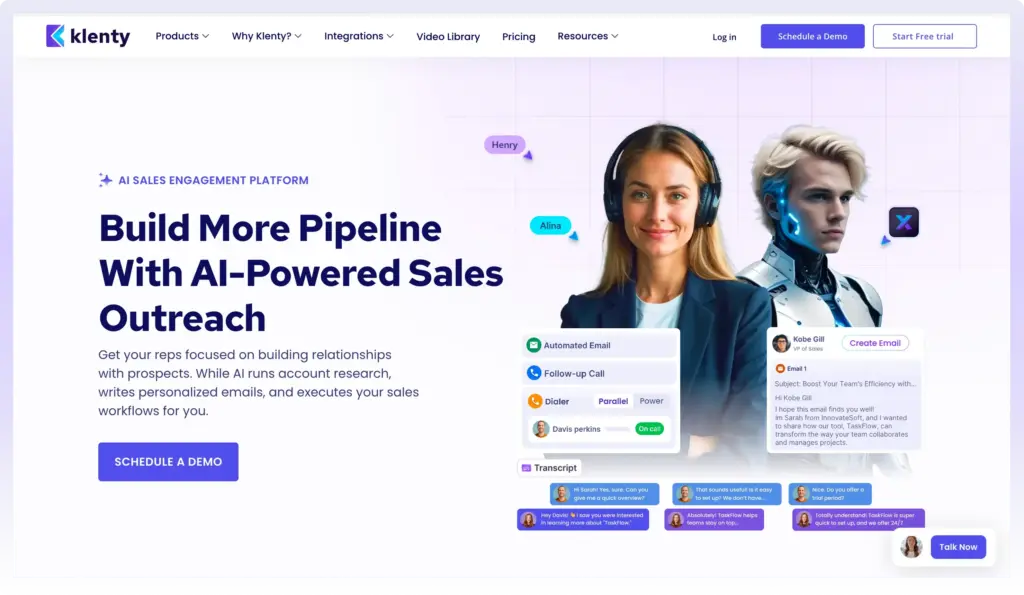
Further, it also offers helpful features such as call reports, call outcome, 1-click voicemail drop, and more to optimize your cold calling efforts.
Features:
1. Connect AI
Klenty's Connect AI is a proprietary dialing infrastructure that works throughout your entire dialing workflow in a 4-step process, purpose-built to solve the structural reasons why calls go unanswered.
The industry standard dial-to-connect rate sits at 1 to 3%. The reasons are consistent: numbers flagged as spam from overuse, calls going out at the wrong time, numbers shared across the team, short call durations signaling spam behavior to carriers, voicemails skipped to save time, and no segmentation by phone intent. Connect AI addresses every one of these.
Pre-Dial:
Before a rep even clicks “Start Calling,” Connect AI optimizes five critical layers.
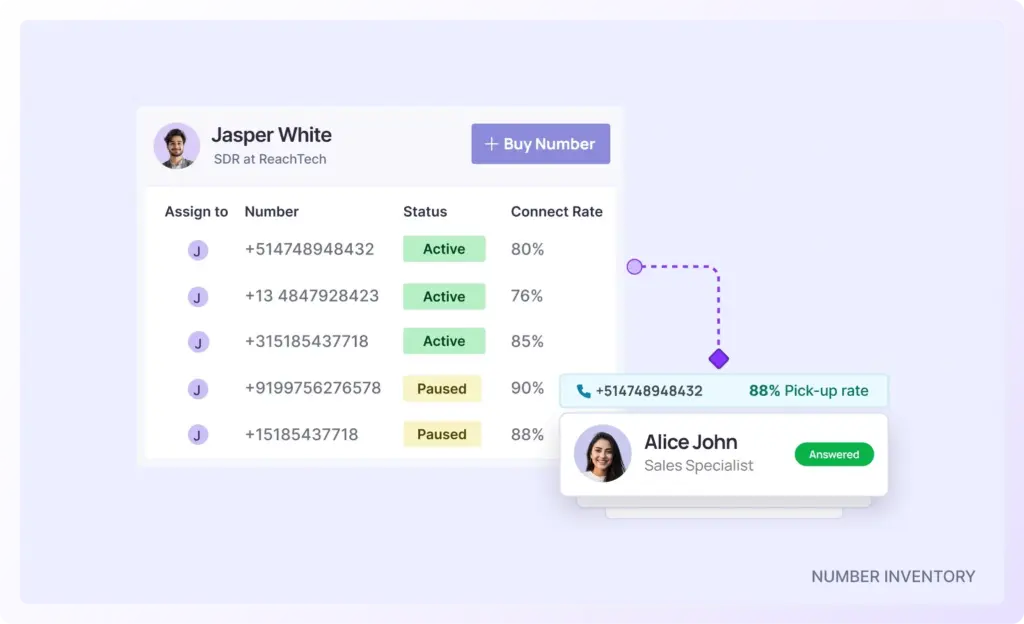
NUMBER INVENTORY
AI assigns unique numbers for each rep, Connect AI automatically provisions a dedicated pool of healthy call-from numbers for every rep.
- Numbers are never shared across the team
- Each pool is organized by geography and territory
- Reduces overuse and spam flag risk
When reps share numbers, carriers detect abnormal usage patterns. Klenty eliminates that problem at the root.
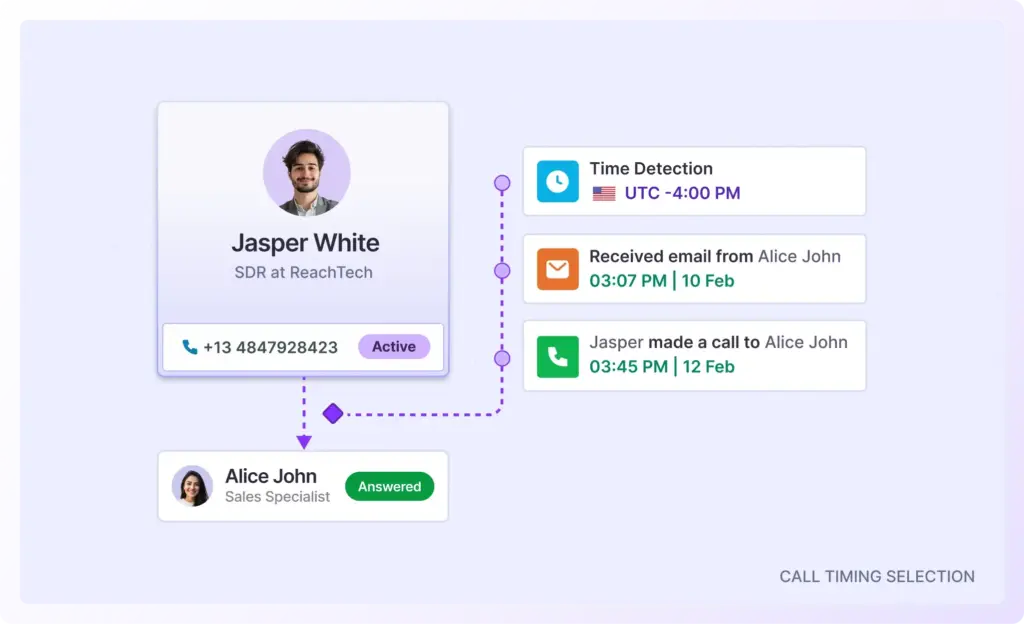
CALL TIMING SELECTION
AI chooses the perfect time to place each dial. Instead of batching by timezone alone, Connect AI groups call tasks based on the best time to reach each individual prospect.
It analyzes:
- Past call connects
- Email open times (calls placed during prospect active hours)
- Prospect timezone
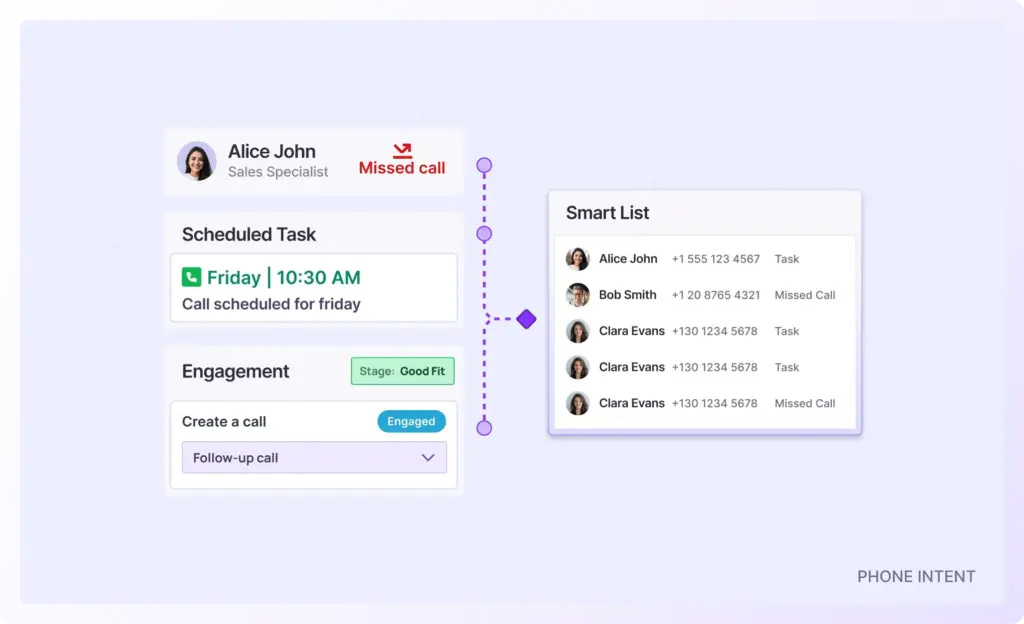
PHONE INTENT
AI surfaces prospects likely to answer the phone. Connect AI tracks:
- Missed incoming calls
- Multi-channel engagement signals
- Recent outbound interaction
It extracts prospects with higher pickup probability and automatically creates a priority dial list for each rep. Instead of dialing blindly, reps start with the contacts most likely to answer.
During Dial:
Once dialing begins, Connect AI makes live infrastructure decisions at the moment of each dial.
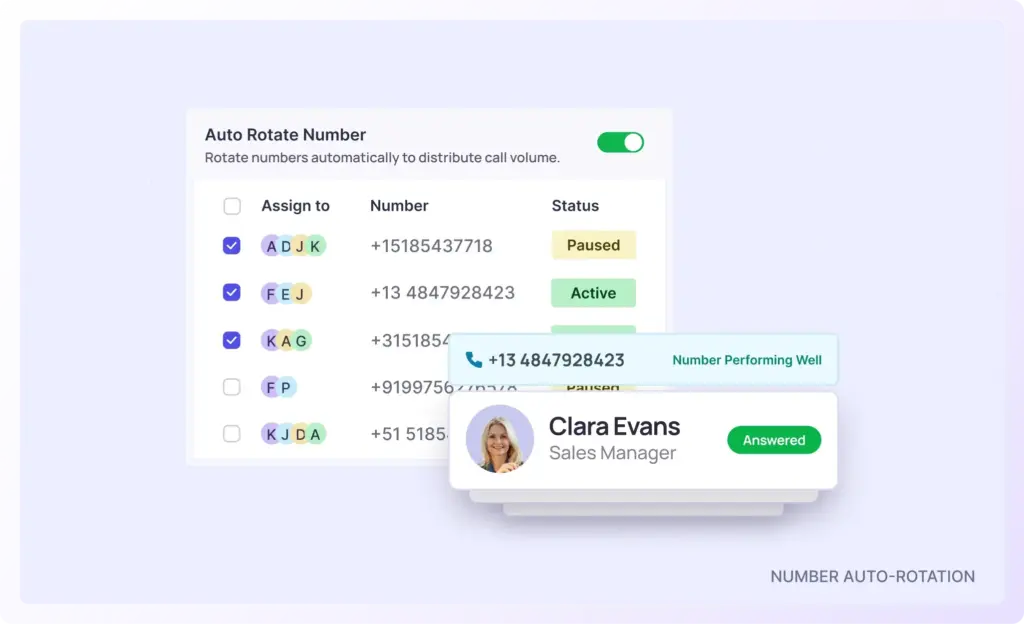
NUMBER AUTO-ROTATION
AI picks the best call-from number for each dial. Connect AI automatically rotates numbers based on:
- Call-from number health
- Historical pick-up behavior (changes numbers for follow-up dials after no pickup)
- Call volume thresholds set for each call-from number
Two types of intelligent rotation happen automatically:
- Volume-based rotation - switches numbers once a defined dial limit is reached.
- Pickup-based rotation - changes the number when a prospect did not answer a prior attempt.
This protects number reputation while increasing the probability of pickup on subsequent attempts.
LOCAL DIALING
AI adds local caller IDs to your call-from numbers. Connect AI automatically matches the right local area code to your prospect’s region.
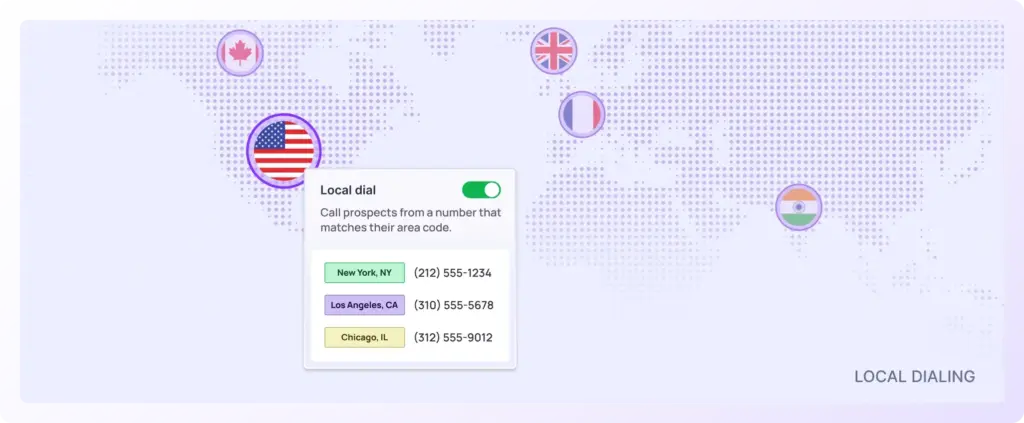
When prospects see a familiar local number instead of an unfamiliar or “spam-looking” caller ID, pickup probability increases significantly.
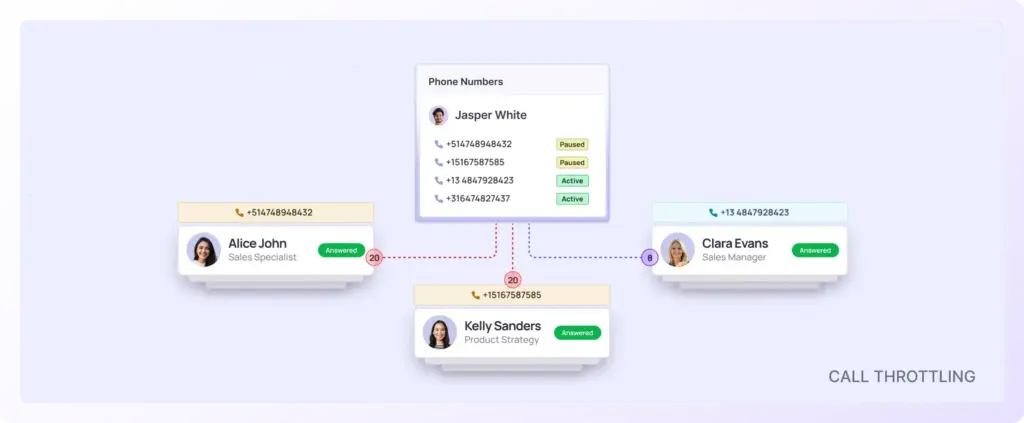
CALL THROTTLING
AI controls call volume at the Global- and Number-Level. Connect AI enforces dialing best practices automatically.
Managers can set thresholds for:
- Maximum dials from a specific number
- Total daily dial limits per rep
- Global dialing caps across the team
This prevents carrier-triggered spam flags and keeps dialing behavior within safe operational limits.
Post-Dial:
After the dial session ends, Connect AI continues optimizing performance.
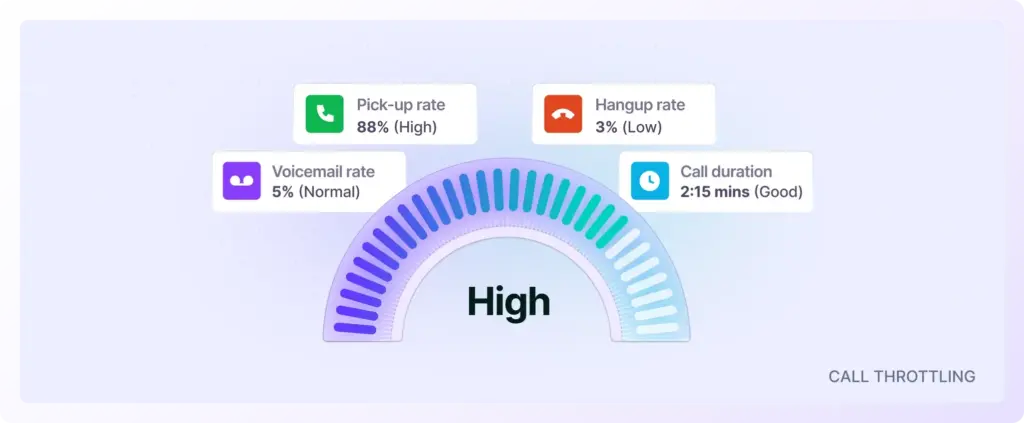
NUMBER HEALTH REPORTING
AI monitors Number Health and recommends replacements. Connect AI tracks number health live on a dashboard, and flags unhealthy numbers before they drag down connect rates.
It reports on the four core factors impacting performance:
- Pick-up rate
- Hangup rate
- Voicemail rate
- Average call duration
Underperforming numbers are automatically pulled from rotation and replaced with fresh ones, no manual auditing required.
Post-Call Infrastructure
Reps can drop one-click personalized voicemails to:
- Extend call duration (a carrier trust signal)
- Improve callback rates
- Maintain dialing speed
At the end of each session:
- Health scores are recalculated
- Degraded numbers are flagged
- Replacement workflows are triggered
The dialing system continuously self-optimizes in the background.
3. Reduce Admin Work With AI
Save countless hours with auto voicemail detection and 1-click voicemail drop, no more sitting through voicemail greetings or wasting time on manual outbound messages. Rotate through multiple “from” numbers so your calls avoid spam tagging, maintain caller ID freshness, and reach prospects more reliably.
AI-Based Live Voicemail Eliminator : Klenty uses AI-powered voice transcription to detect whether a live human answers or if the call hits voicemail. This means reps don’t waste time waiting for the beep; the dialer simply skips to the next prospect, ensuring every second is spent finding real conversations.
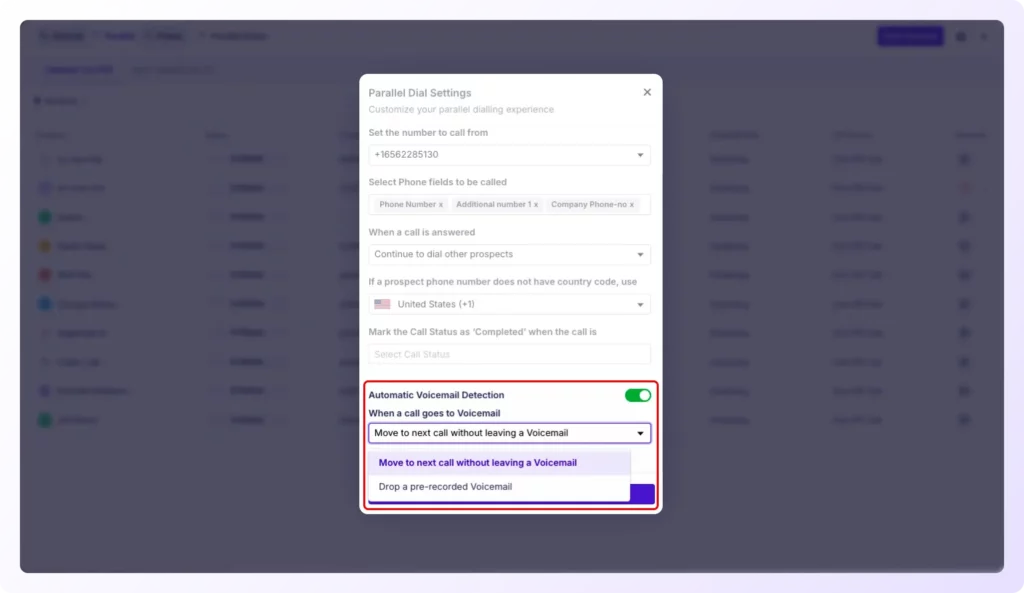
This feature reflects the 2026 outbound playbook’s focus on minimizing non-pipeline activity: letting SDRs concentrate entirely on conversations that generate revenue while AI handles the rest.
Every call is automatically transcribed, and AI-powered call summaries are generated, so you capture insights, coach your team, and review conversations without listening to every recording.
AI-Based Next Step Execution
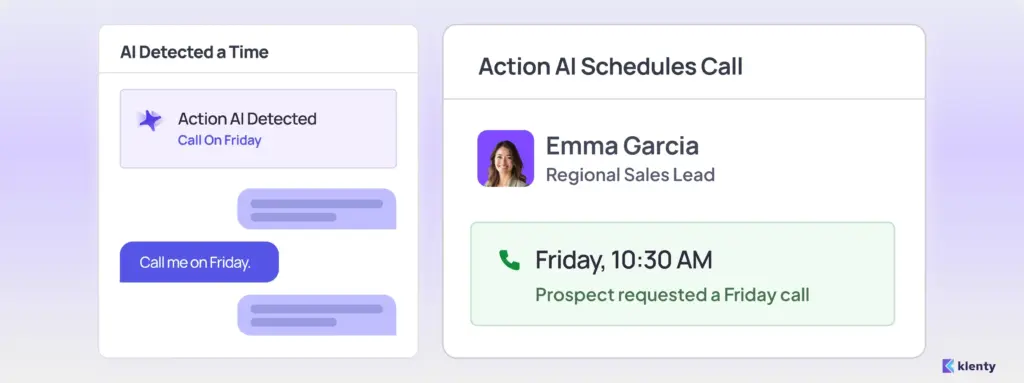
Klenty’s Action AI listens to your sales conversations, understands what was discussed on the call, and intelligently generates the next action. You can focus on dialing, not managing next steps, execute the right tasks at the right time, and save time with auto-generated follow-up messaging.
Time-Based Next Actions
Prospect says, “Call me on Friday.” → Action AI schedules a call for Friday with the prospect.
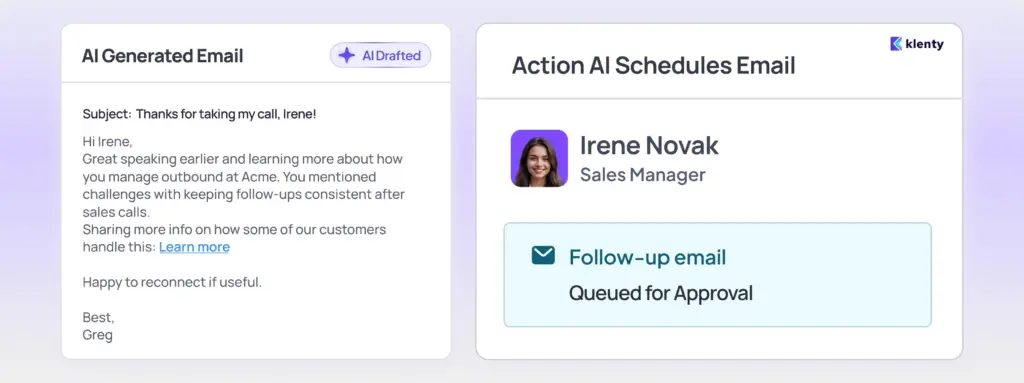
Channel-Based Next Actions
Prospect says, “Send me an email.” → Action AI creates a personalized email and queues it up for approval.
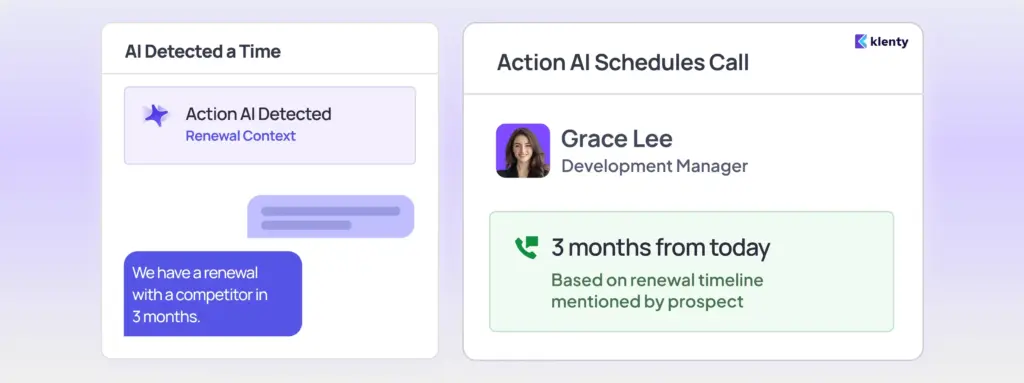
Context-Based Next Actions
Prospect says, “We have a renewal with a competitor in 3 months.” → Action AI schedules a call in 3 months with call context.
4. CRM Integrations
Klenty deeply integrates with leading CRMs including Salesforce, HubSpot, Pipedrive, and Zoho. All call activity, recordings, outcomes, and notes sync automatically, eliminating manual entry, reducing admin work, and ensuring complete visibility into every prospect touch.
5. Coach Reps With Intelligence
Klenty's Call Coaching Suite directly addresses the two problems that hold most outbound teams back: managers who cannot see what is happening on live calls, and reps who have no clear picture of where their conversations are breaking down.
1. Rep 360° - Find Tailored Coaching Insights On Each SDR
Great coaching starts with a clear picture of each rep. Rep 360° gives you a holistic view of every SDR's performance for a set time period - without digging through a single transcript.
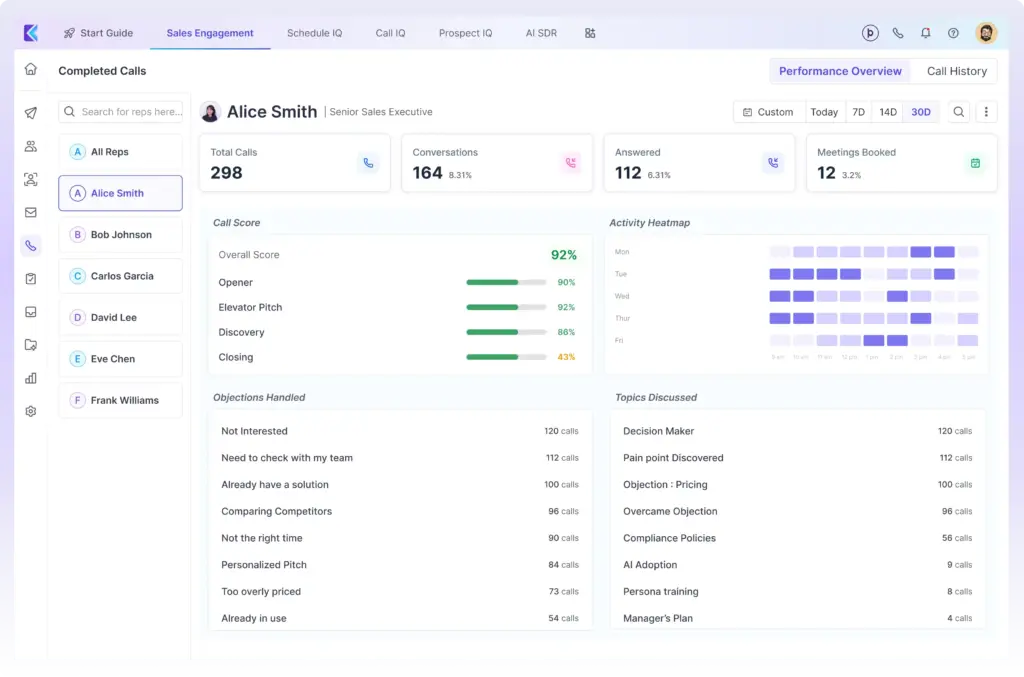
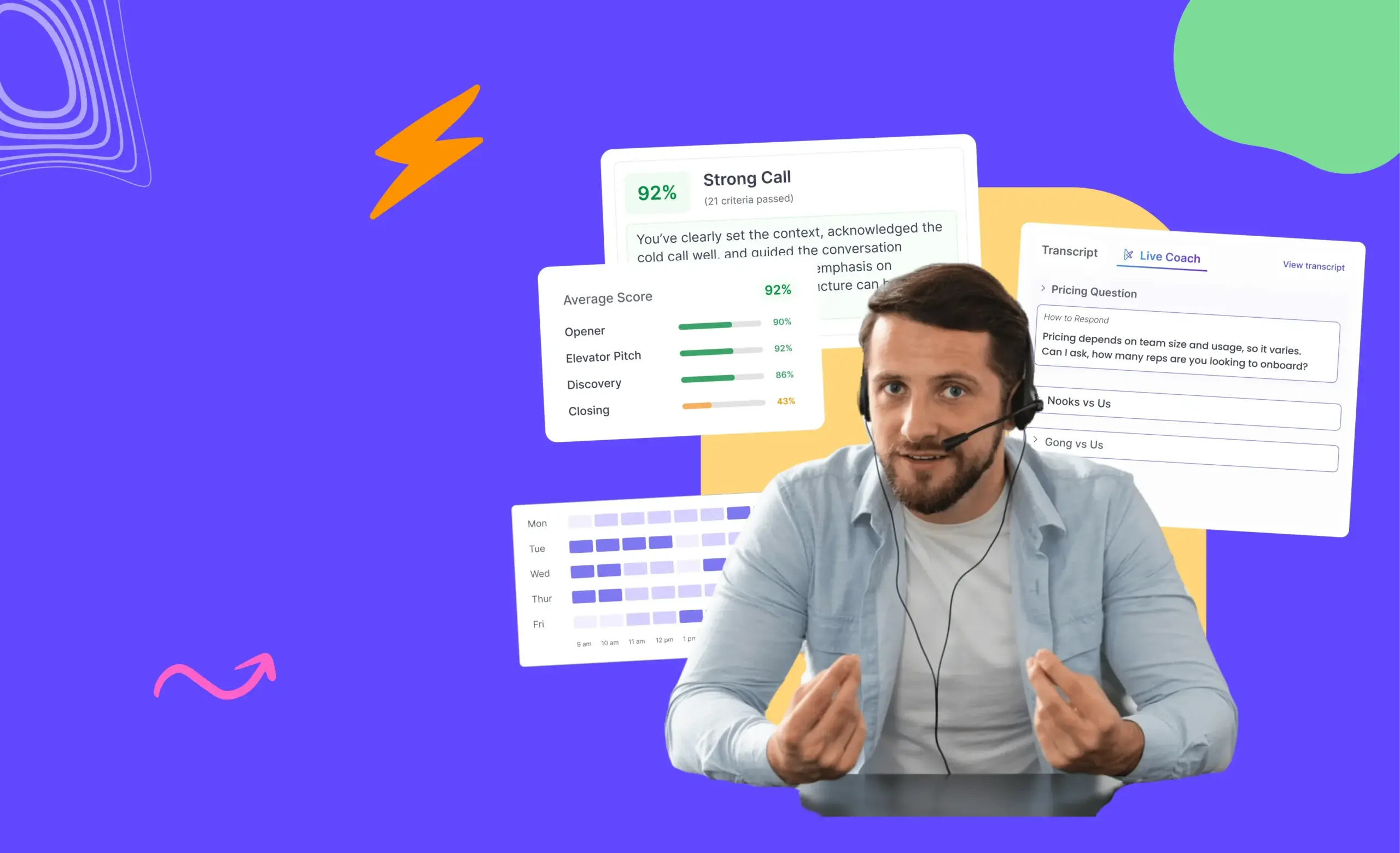
Get a holistic view of each rep's performance without digging through transcripts. Rep 360° shows total calls made, calls connected, meetings booked, call scores across key talk track areas, topics coming up most often, how reps handle objections, and activity heatmaps showing when each rep is most active.
Managers walk into 1:1 coaching sessions fully prepared with clear, data-backed insights about where each rep needs help.
2. AI Battlecards - Pop Up Answers For Every Recurring Prospect Question
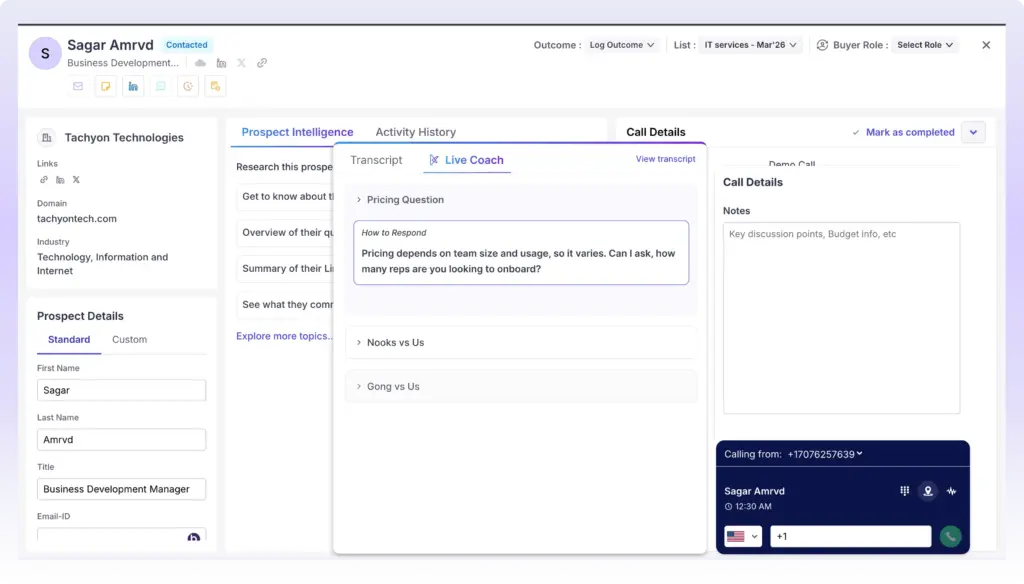
The moment a prospect raises a recurring question or challenge, Klenty automatically surfaces the right response - whether it's competitive intel, objection-handling, or key product details. Reps stay confident, conversations stay on track, and no opportunity is lost to a moment of second-guessing.
They stay confident, conversations stay on track, and no opportunity is lost to hesitation. Managers can build and customize Battlecards directly from the gaps they spot in Rep 360°, turning insights into real-time fixes.
💡 Pro Tip: You can build and customize Battlecards directly from the gaps you spot in Rep 360°. The insight becomes the fix - delivered to your rep in real time, right when they need it most.
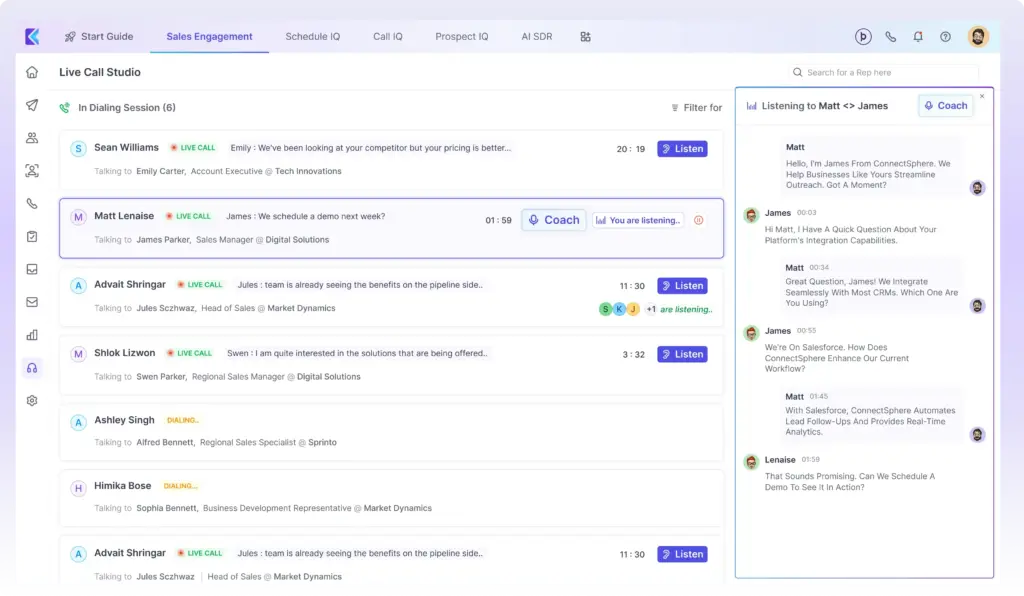
3. Salesfloor - Deliver 'In-the-Moment' Guidance
Post-call feedback is useful. But it can't save a call that's already gone sideways.
Most managers find out a call went badly after it's over - through a recording, a transcript, or when the rep tells them the meeting wasn't booked. By then, the moment has passed. The prospect has moved on.
Salesfloor puts you in the room while the call is still happening. From one view, you can see every rep on your team - who's on a live call, who's still dialling, and what's being said in real time. You can monitor conversations as they unfold, listen in silently, or jump in and assist the moment a call starts going off track.
No waiting for the debrief. No delayed feedback. No "here's what you should have said." You're in the trenches with your rep exactly when it matters - helping them handle a tough objection, recover a flagging conversation, or push for the next step while the prospect is still on the line.
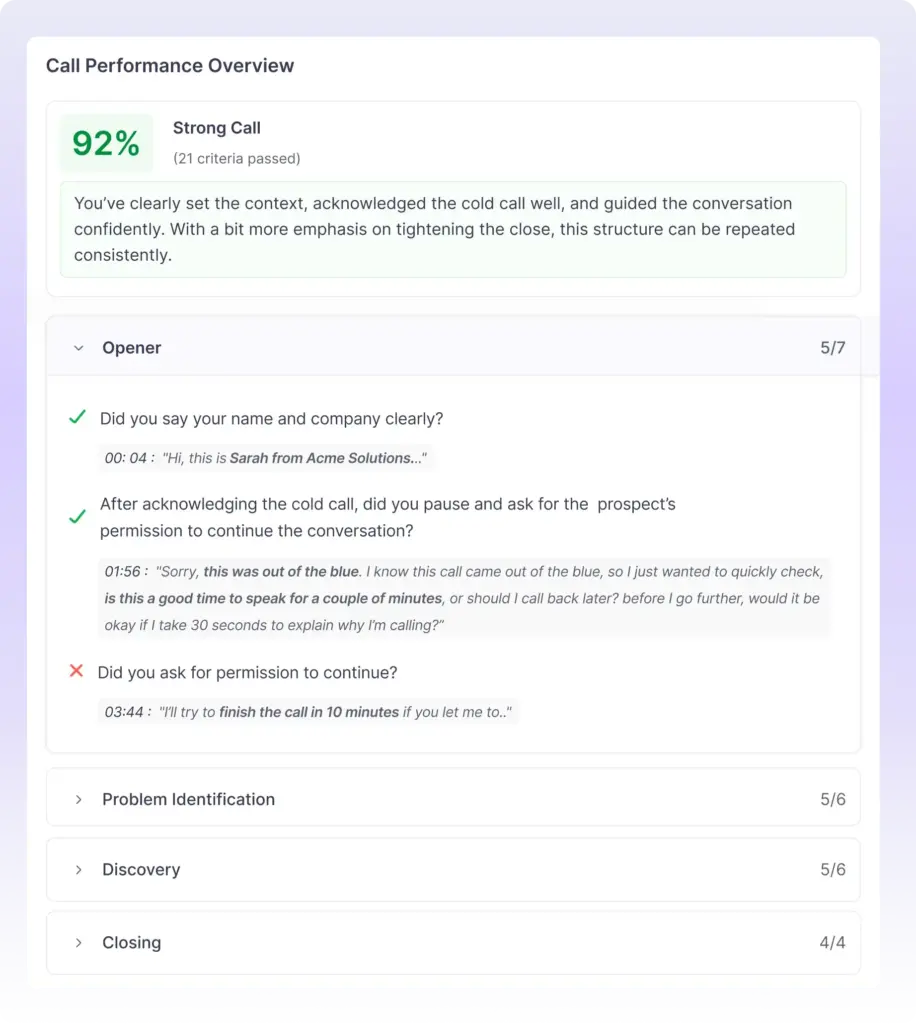
4. AI Call Scorecard - Turn Each Call Into a Source of Coaching Insight
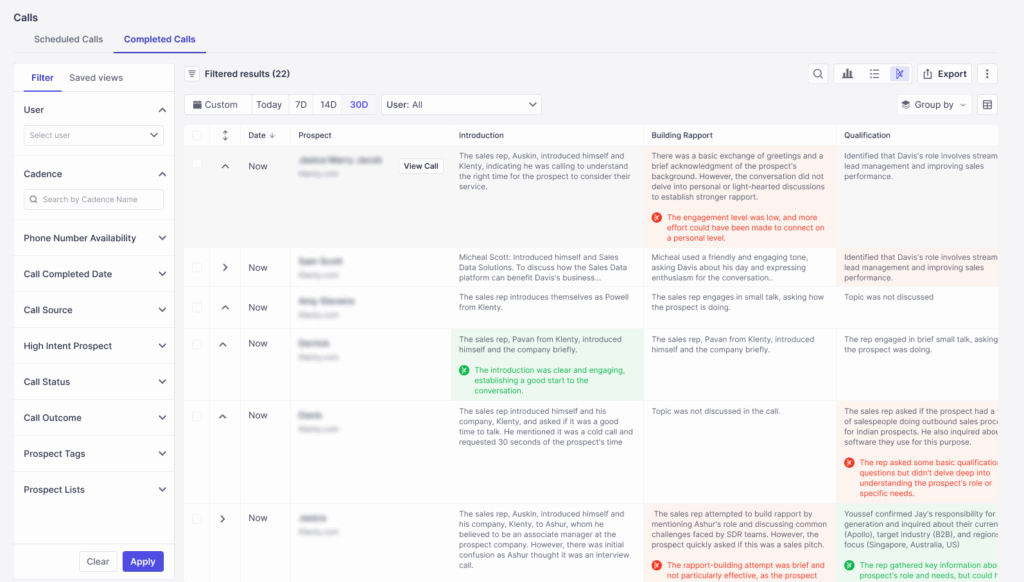
Every call is a coaching opportunity - if you know where to look. AI Call Scorecard automatically scores each call against your prescribed talk track, flags where reps deviate, and gives you granular, explainable insights to work with.
No transcripts to dig through. No vague feedback. Managers review call scores and explanations, then leave coaching notes to guide reps for the next call. With Call Coaching Suite, coaching becomes systematic, not ad-hoc.
Talk Time vs. Dial Time Reports
At the end of every session, reps receive detailed reports that show total dials, number of live connects, and the ratio of time spent dialing versus actually talking. Managers can easily see where their team’s time is going, measure productivity, and coach reps on improving connect rates and conversation quality.
These insights align with Klenty AI’s approach to transform SDRs from task-doers to approvers, letting them focus on pipeline activity while AI Agents capture the operational data automatically.
Set weekly and monthly call activity targets for every rep, track them in a single dashboard, and ensure accountability to KPI goals without endless spreadsheets.
Access immediate, in-depth reporting at the list, cadence, account, and rep level so you can identify strengths, spot coaching needs, and scale best practices across your team.
Pricing:
Klenty's Dialer offers 2 pricing tiers: Basic and Advanced.
- Basic: $35/user/month (billed annually) and $45/user/month (billed quarterly)
- Advanced: $99/user/month (billed annually) and $75/user/month (billed quarterly)
- AI-Based Coaching (add on): $40/user/month (billed annually) and $40/user/month (billed quarterly)
G2 Rating: 4.6/5
CRM Integrations: Salesforce, Pipedrive, Zoho CRM, HubSpot CRM.

2. Aircall
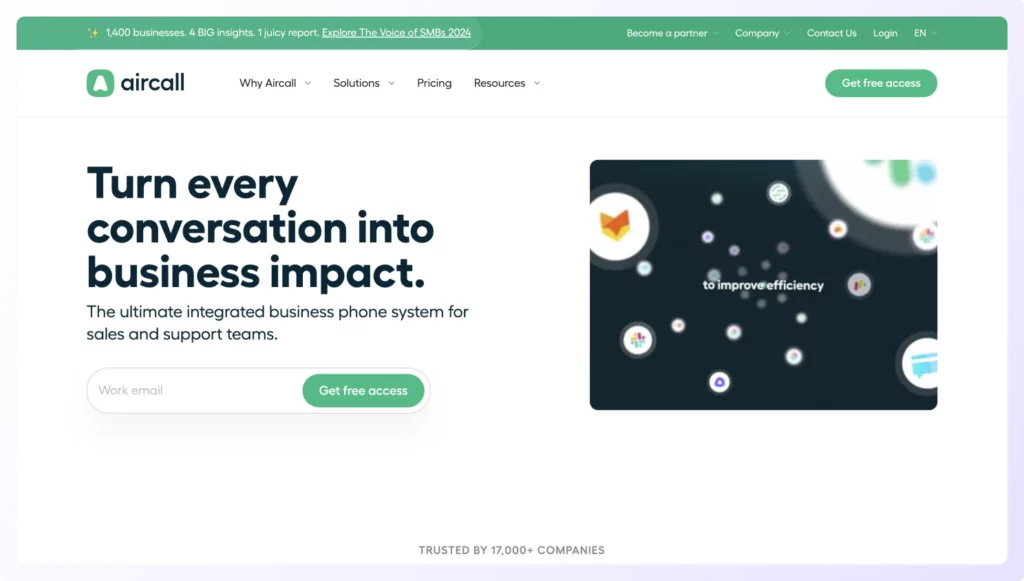
Aircall leverages cloud-based technology to automate call dialing while tracking performance and logging call details into your CRM. Further, it uses AI to review cold calls and unlock insights to improve conversations.
Lastly, sales reps can leverage Call Tags and Disposition Codes to quickly give context to calls for their colleagues, optimizing decision-making and facilitating smooth follow-ups.
Features:
- Leverage toll-free numbers with your prospect’s local area code or any country where your business operates.
- Call whispering allows sales reps to help guide each other on live calls without disturbing the conversation.
- AI-powered call summaries automatically transcribe and summarize every call for easy review and coaching.
Pricing:
- Essentials: $30/license (billed annually) and $40/license (billed monthly)
- Professional: $50/license (billed annually) and $70/license (billed monthly)
- Custom: Available on request
- Minimum: 3 licenses required
- Add-ons: AI Assist ($9/user/month), Analytics+ ($15/user/month)
G2 Rating: 4.3/5
CRM Integrations: Pipedrive, Salesforce, Microsoft Dynamics, and HubSpot CRM.
3. LeadDesk
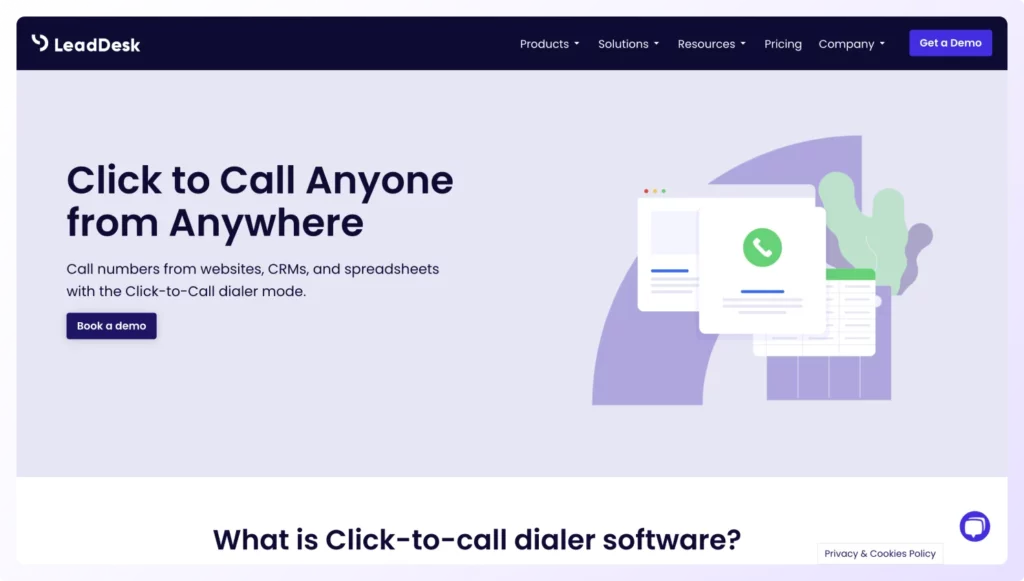
LeadDesk is a cloud-based contact center software that allows you to dial prospect numbers directly from websites, spreadsheets, and your CRM with a single click. This dialer operates on its own contact center as a service platform, offering flexibility across multiple dialing modes.
Features:
- Click-to-dial capabilities from any website, spreadsheet, or CRM platform instantly.
- Eight distinct dialer modes - including auto, predictive, power, and click-to-call, let you choose the right strategy for each campaign.
- Automatic CRM syncing ensures all calls, outcomes, and notes log to your system without manual entry.
Pricing:
- Custom Pricing Model: Based on team size, required features, and dialer modes
- Typical Range: $89–$129 per user per month
- Implementation: Includes onboarding and training (4 hours of customization work)
- Billing: Month-to-month or annual options available
- Volume Discounts: Available for teams with 25+ users
G2 Rating: 4.4/5
CRM Integrations: Salesforce, Pipedrive, and Zendesk.
4. Twilio
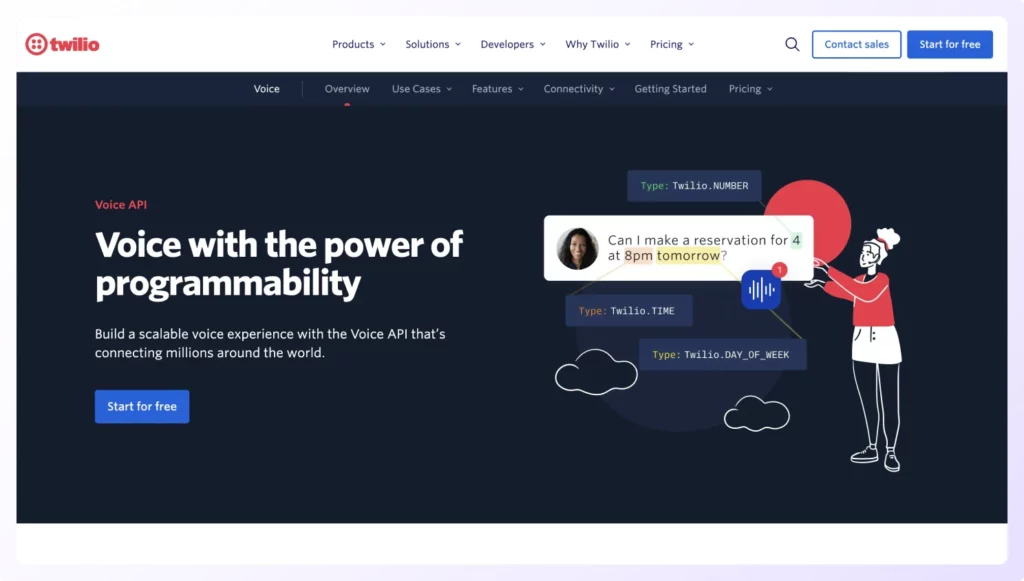
Twilio leverages Voice API's high-quality and reliable connections supported by the Twilio Super Network to offer businesses access to global carriers, private cloud connections, and indefinite scaling. This enables teams to make quality VoIP calls at enterprise scale. However, Twilio is a developer API platform, not a pre-built click-to-call dialer, requiring custom implementation by your engineering team.
Features:
- Branded calling displays your name, brand logo, and call purpose on your prospect’s mobile for transparency.
- Call tracking allows you to measure your sales outreach’s ROI.
- Masked calling leverages temporary phone number proxies to protect the sensitive data of both you and your prospect.
Pricing:
- Pay-as-You-Go Model: No subscription fees or monthly minimums
- Outbound Calls (Local): $0.0140 per minute
- Inbound Calls (Local): $0.0085 per minute
- Toll-Free Calls: $0.0140–$0.0220 per minute (outbound/inbound)
- Phone Number Rental: ~$1.00/month (local), ~$2.00/month (toll-free)
- Volume Discounts: Available for high-volume users
G2 Rating: 4.2/5
CRM Integrations: Requires custom API integration with Salesforce, Zoho, Microsoft Dynamics, HubSpot, and others.
5. OpenPhone
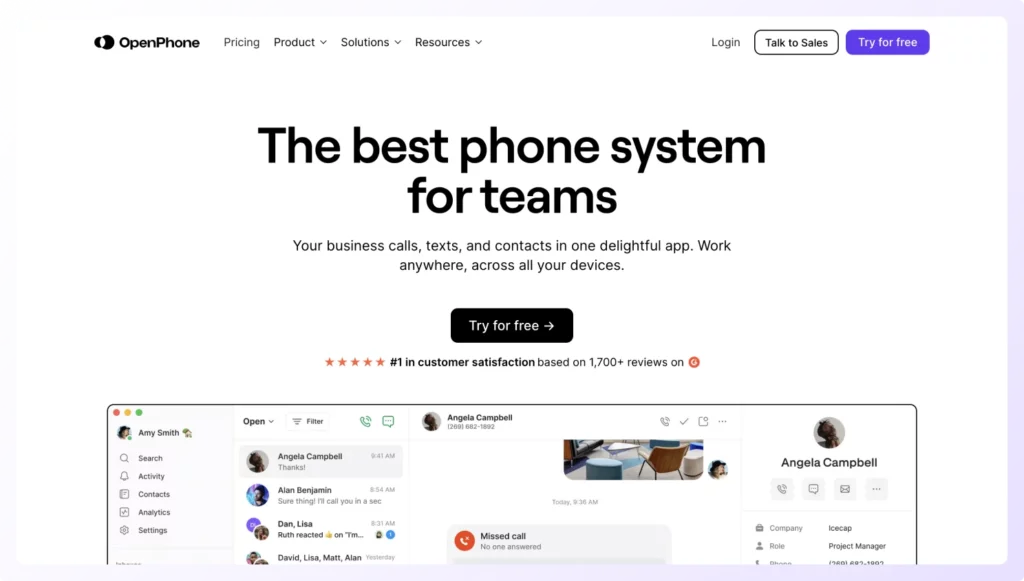
OpenPhone, now rebranded as Quo in late 2025, is a cloud-based business phone system that combines VoIP calling, SMS texting, and lightweight CRM features in one affordable application. Quo is designed for small teams and startups that need simple, accessible calling without the complexity of enterprise systems.
Features:
- Click-to-call directly from your CRM or any contact list with all prospect information instantly available.
- Unlimited calling and texting within the US and Canada keeps communication costs predictable.
- AI-generated call summaries and transcripts (on Business plan and above) automatically document every conversation for easy review.
Pricing:
- Starter: $15/user per month (billed annually) and $19/user per month (billed monthly)
- Business: $23/user per month (billed annually) and $33/user per month (billed monthly)
- Scale: $35/user per month (billed annually) and $47/user per month (billed monthly)
- Add-ons: Extra phone numbers ($5/month), international calling (variable rates), Sona AI beyond free tier (starts at $25/month)
G2 Rating: 4.7/5
CRM Integrations: HubSpot, Salesforce, Gong, Slack, Google Contacts, Zapier (connects to 1,000+ apps)
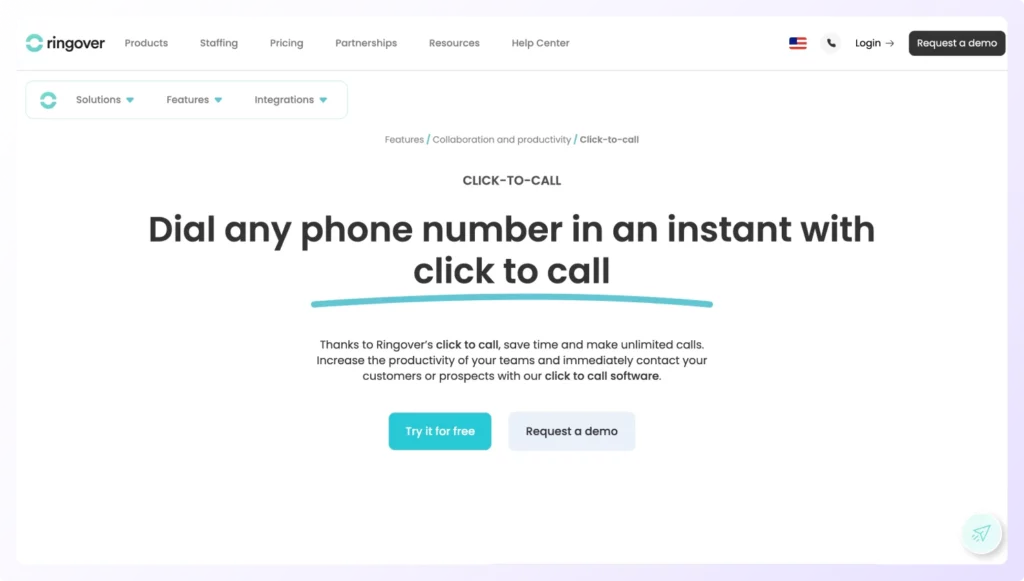
6. Ringover
Ringover’s VoIP phone system helps sales reps connect to prospects with a click of a button, eliminating human error and speeding up cold calling efforts. Further, it offers insight into your sales team’s calls to drive cold calling efforts.
Features:
- Click-to-call from your CRM or any website via browser extension, with all prospect context instantly visible.
- Unlimited international calling to 110 destinations keeps surprise charges off your bill.
- Parallel Dialer (add-on) lets you call multiple prospects simultaneously, connecting to the first person who picks up.
- Local presence dialing automatically uses your prospect's area code to increase pickup rates significantly.
Pricing:
- SMART: $21/user/month (billed annually) and $29/user/month
- BUSINESS: $44/user/month (billed annually) and $54/user/month
- ADVANCED: $54/user/month (billed annually) and $64/user/month
G2 Rating: 4.5/5
CRM Integrations: Axonaut, Copper, and Clientify.
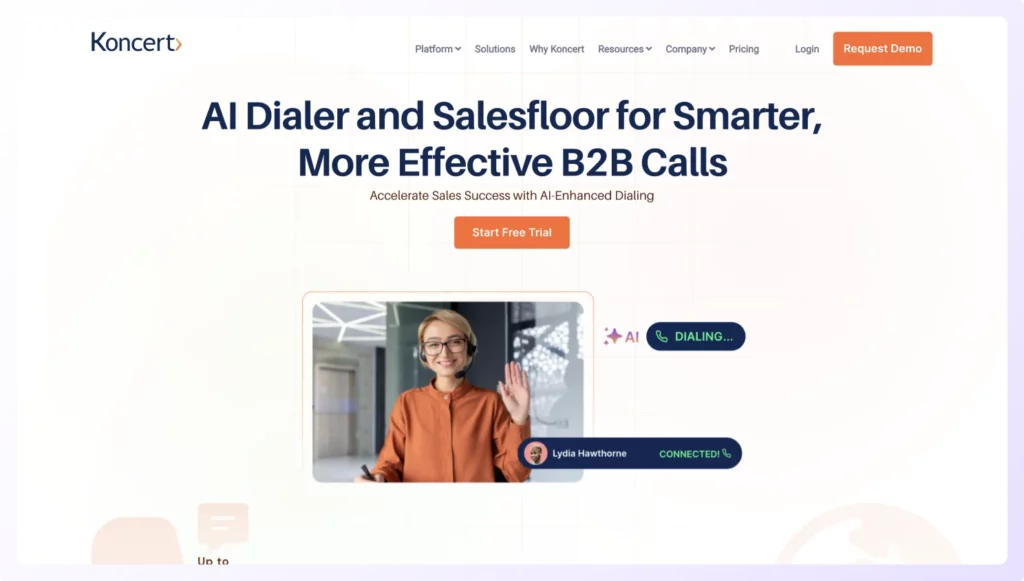
7. Koncert
Koncert is a click-to-call dialer that helps you eliminate the manual punching of phone numbers and captures all sales calls in your CRM to ensure every call has a record of its disposition. This way, sales managers can track their team’s performance effectively.
Features:
- Multi-mode dialing - including parallel, AI Flow, and agent-assisted options, lets you switch strategies instantly.
- Real-time analytics and customizable reports give you complete visibility into your team's calling performance.
- Automatic call capture with disposition codes ensures no call data is lost or missed.
Pricing: Available on request
G2 Rating: 4.6/5
CRM Integrations: Salesforce, HubSpot, and Microsoft Dynamics 365.
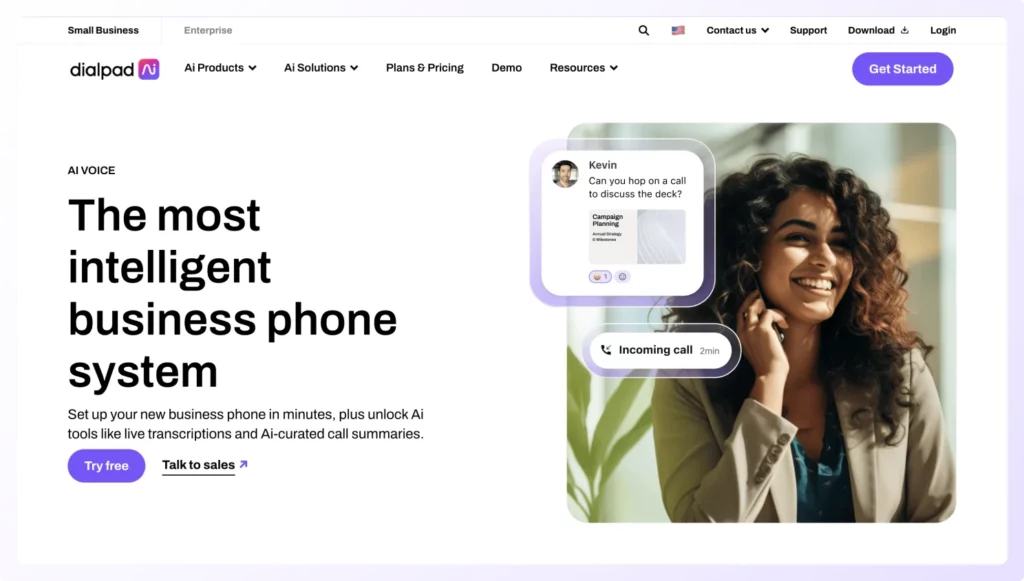
8. Dialpad AI Voice
Dialpad AI Voice is a click-to-call dialer that uses generative AI to optimize your sales outreach. It allows sales reps to call, message, and meet with colleagues and prospects, move conversations to their preferred devices, and transfer calls all from their AI-powered platform.
Features:
- Eliminate tedious hold time with automated voicemails and callback capabilities.
- Built-in AI to take notes and track action items to help sales teams focus solely on their cold call conversations.
- Voicemail transcriptions help sales reps scan voicemails they receive after hours.
- Real-time AI transcription and call summaries capture key moments for coaching and training.
Pricing:
- Dialpad Connect (Basic): $15/user per month (billed annually) and $27/user per month (billed monthly)
- Dialpad Sell (Sales Dialer): $60/user per month (billed annually)
- Dialpad Support (Contact Center): $80/user per month and up
- Premium: $150/user per month for advanced AI features across all products
G2 Rating: 4.4/5
CRM Integrations: Salesforce, Zendesk, and Copper.
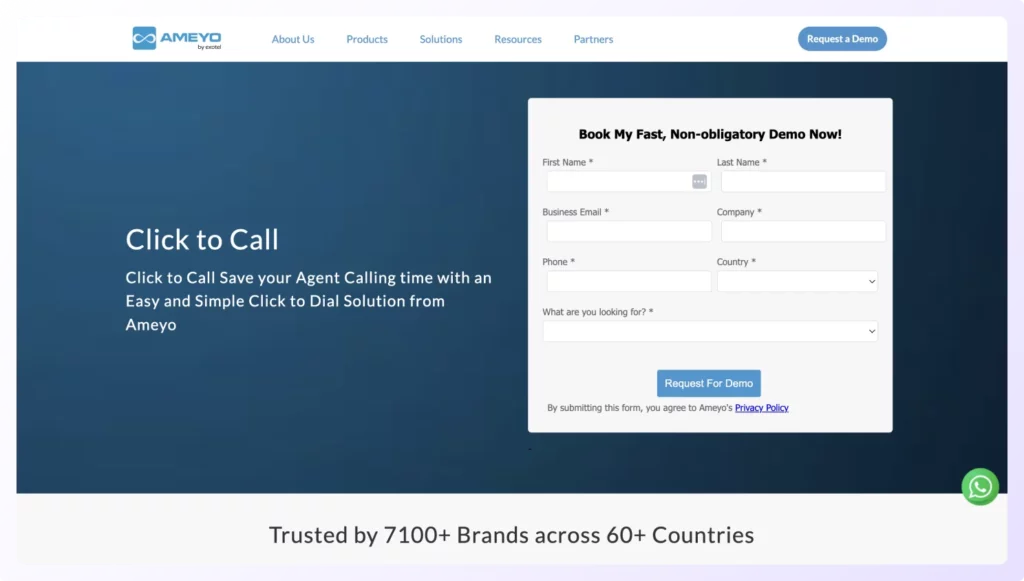
9. Ameyo
Ameyo by Exotel provides a click-to-call dialer that helps sales reps dial their prospects in a single click. Its number masking feature helps maintain customer privacy by masking customer details in the dashboard. Further, its Unified Agent Desktop helps reduce average handling time by eliminating the need to switch between windows.
Features:
- Click-to-call in a single click with all prospect details, conversation history, and scripts visible in one interface.
- Number masking protects customer privacy by hiding sensitive information from your dashboard.
- Record all prospect calls to find coachable moments and train new sales reps on best practices.
Pricing: Available on request
G2 Rating: 4.3/5
CRM Integrations: Zoho CRM and Freshdesk.
10. Dialer360
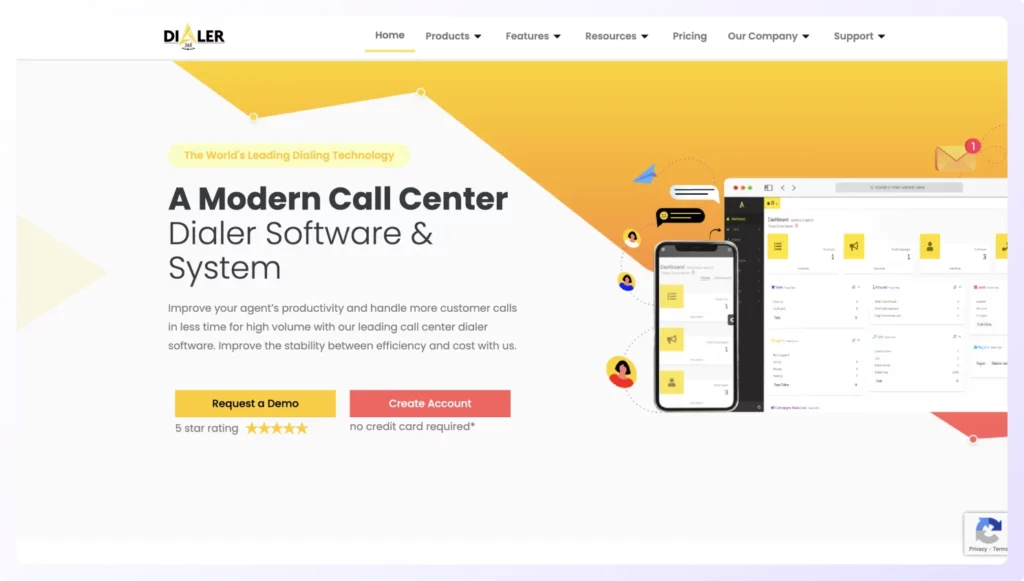
Dialer360 is a browser-based extension that allows sales reps the click-to-call facility from any web page. In other words, it can help you connect with your prospect the second you find their contact details, regardless of a web page.
Features:
- Click a prospect phone number on any web page and initiate dialing instantly without manual entry.
- Ringless Voicemail allows sales reps to send a message directly to a prospect's voicemail inbox without the beep.
- Offers AI and auto dialers in addition to click-to-call dialer for teams that need higher volumes.
Pricing: Available on request
G2 Rating: 4.4/5
CRM Integrations: Salesforce, Insightly, and Pipedrive.
What Makes Klenty’s Click-to-Call Dialer Unique?
Klenty’s Sales Dialer comes with a unique Focus Dialing capability that allows you to execute click-to-call dialing with zero distractions. Its convenient 3-column view allows sales reps to see prospect details, research, script, and notes all on their screen.
In other words, sales reps no longer have to switch between multiple windows, such as spreadsheets and CRMs. They get everything they need for the call right in one place, helping them concentrate on their conversation better.
But wait, there’s more. Klenty is also the only sales dialer that offers multi-mode sales dialing. Apart from the click-to-call dialer in Focus Dialer, it also provides 2 auto dialing options:
- Parallel Dialer: Dials up to 5 prospects simultaneously, helping improve your total connects per day.
- Power Dialer: Dials a preloaded list of prospects automatically, one after the other.
What sets Klenty apart is its Connect AI infrastructure - purpose-built to boost connect rates through intelligent number rotation, optimized call timing, and local area code matching, combined with AI-powered coaching that includes live call listening, automatic scorecards, and real-time battlecards to guide reps through objections.
Other than this, Klenty comes with other convenient features such as:
- AI-powered notetaking. Leverage conversation intelligence to automatically take detailed AI notes for every call and automatically summarize them for easy review.
- Voicemail Drop allows you to send personalized, pre-recorded voicemails in a single click.
- Local Dial improves call pick-up rates by leveraging numbers with your prospect’s local area code when trying to connect with them.
- Call Outcome feature marks the status of every call instantly.
- Call Reports help you measure your sales team’s performance and identify coachable points.
In short, Klenty is your go-to if you’re looking to skyrocket your cold calling efforts with a healthy dose of automation and precision.
To check out what Klenty’s Sales Dialer will look like in your tech stack, book a demo now!
FAQs
1. How Does Click-to-Call Work?
2. Does Click-to-Call Require Extensive Training?
3. Can click-to-call dialers improve my connect rates?
4. Which CRM does click-to-call dialer integrate with?
5. Do I need click-to-call dialer or power dialer for my sales team?
6. What's the difference between click-to-call and auto dialer?
About the Author